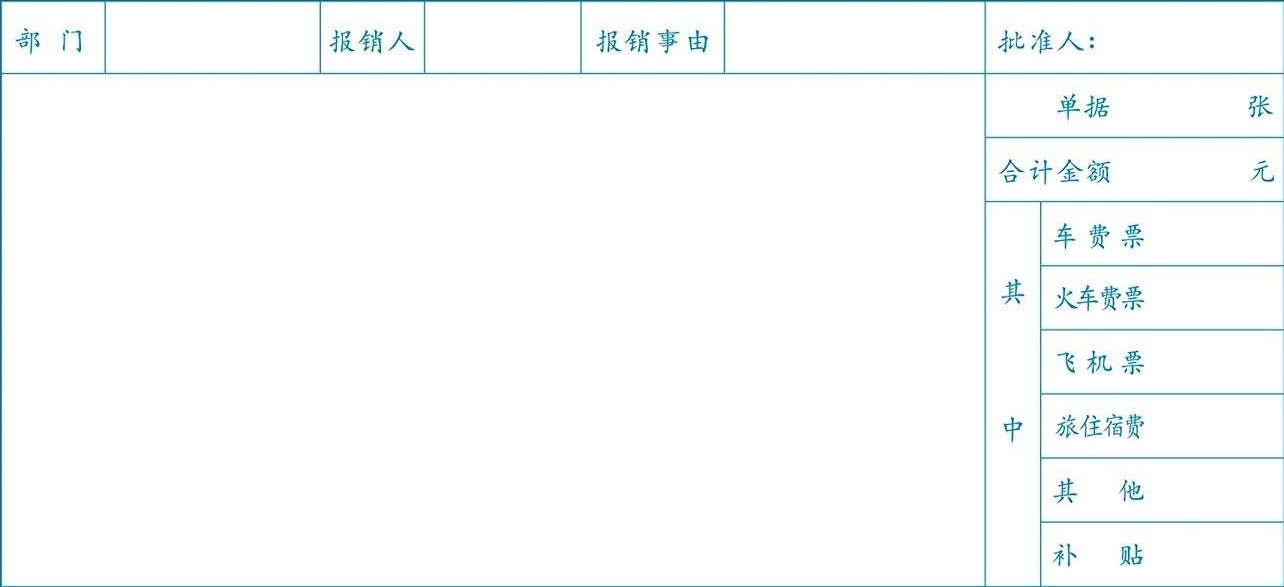
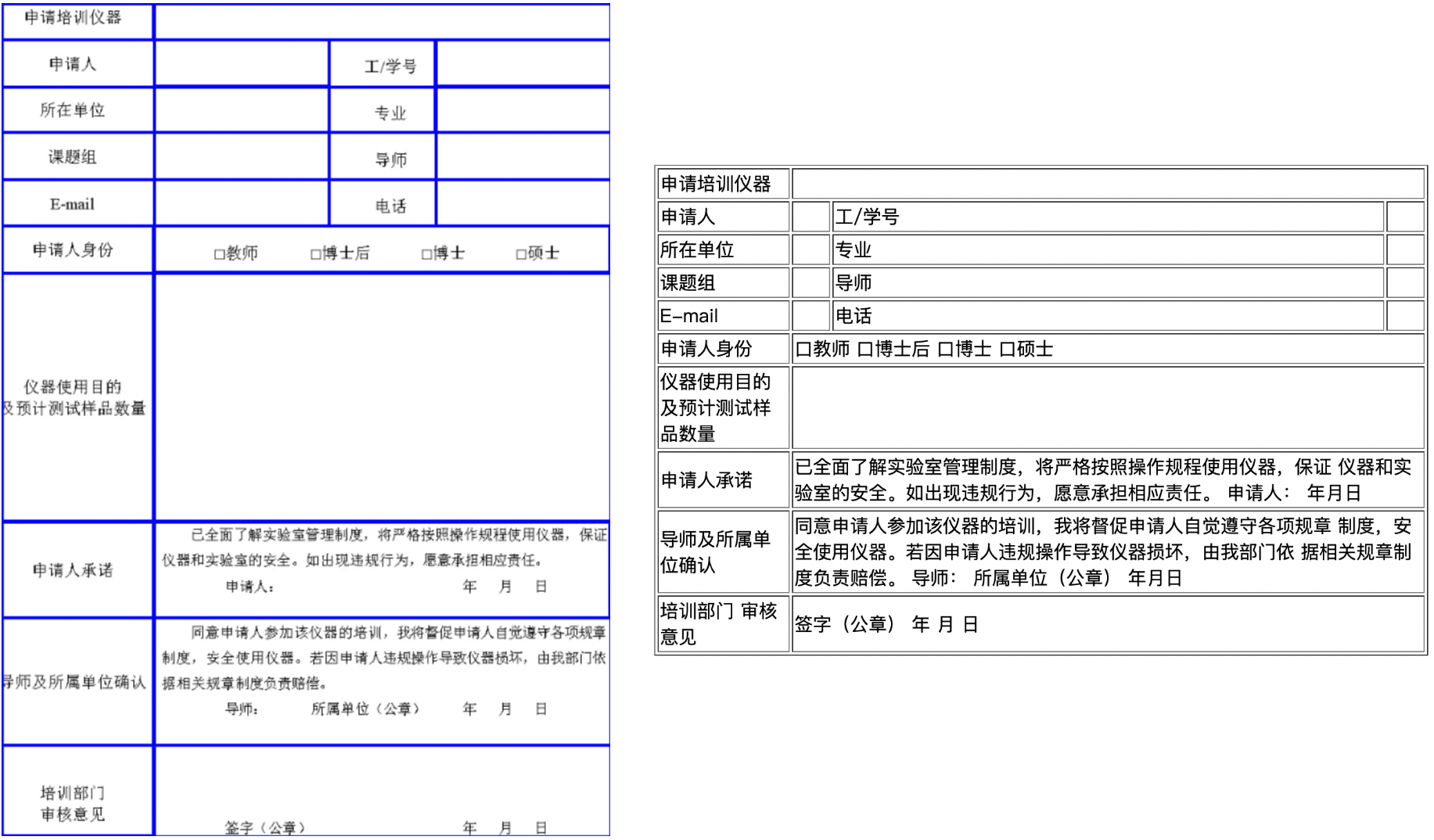
 The General Table Recognition Pipeline v2 includes the following 8 modules. Each module can be trained and inferred independently and contains multiple models. For detailed information, please click on the corresponding module to view the documentation.
- [Table Structure Recognition Module](../module_usage/table_structure_recognition.md)
- [Table Classification Module](../module_usage/table_classification.md)
- [Table Cell Detection Module](../module_usage/table_cells_detection.md)
- [Text Detection Module](../module_usage/text_detection.md)
- [Text Recognition Module](../module_usage/text_recognition.md)
- [Layout Region Detection Module](../module_usage/layout_detection.md) (optional)
- [Document Image Orientation Classification Module](../module_usage/doc_img_orientation_classification.md) (optional)
- [Text Image Unwarping Module](../module_usage/text_image_unwarping.md) (optional)
In this pipeline, you can choose the models to use based on the benchmark data below.
> The inference time only includes the model inference time and does not include the time for pre- or post-processing.
The General Table Recognition Pipeline v2 includes the following 8 modules. Each module can be trained and inferred independently and contains multiple models. For detailed information, please click on the corresponding module to view the documentation.
- [Table Structure Recognition Module](../module_usage/table_structure_recognition.md)
- [Table Classification Module](../module_usage/table_classification.md)
- [Table Cell Detection Module](../module_usage/table_cells_detection.md)
- [Text Detection Module](../module_usage/text_detection.md)
- [Text Recognition Module](../module_usage/text_recognition.md)
- [Layout Region Detection Module](../module_usage/layout_detection.md) (optional)
- [Document Image Orientation Classification Module](../module_usage/doc_img_orientation_classification.md) (optional)
- [Text Image Unwarping Module](../module_usage/text_image_unwarping.md) (optional)
In this pipeline, you can choose the models to use based on the benchmark data below.
> The inference time only includes the model inference time and does not include the time for pre- or post-processing.
| Model | Model Download Link | Accuracy (%) | GPU Inference Time (ms) [Regular Mode / High-Performance Mode] |
CPU Inference Time (ms) [Regular Mode / High-Performance Mode] |
Model Storage Size (MB) | Description |
|---|---|---|---|---|---|---|
| SLANet | Inference Model/Training Model | 59.52 | 23.96 / 21.75 | - / 43.12 | 6.9 | SLANet is a table structure recognition model developed by Baidu PaddlePaddle's vision team. This model significantly improves the accuracy and inference speed of table structure recognition by using a CPU-friendly lightweight backbone network PP-LCNet, a high-low feature fusion module CSP-PAN, and a feature decoding module SLA Head that aligns structure and location information. |
| SLANet_plus | Inference Model/Training Model | 63.69 | 23.43 / 22.16 | - / 41.80 | 6.9 | SLANet_plus is an enhanced version of the SLANet table structure recognition model developed by Baidu PaddlePaddle's vision team. Compared to SLANet, SLANet_plus significantly improves the recognition capabilities for wireless tables and complex tables, while reducing the model's sensitivity to table positioning accuracy, allowing for accurate recognition even if the table is slightly misaligned. |
| SLANeXt_wired | Inference Model/Training Model | 69.65 | 85.92 / 85.92 | - / 501.66 | 351 | The SLANeXt series is a new generation of table structure recognition models developed by Baidu PaddlePaddle's vision team. Compared to SLANet and SLANet_plus, SLANeXt focuses on recognizing table structures and has been trained with dedicated weights for recognizing wired and wireless tables, significantly enhancing recognition capabilities across both types, especially for wired tables. |
| SLANeXt_wireless | Inference Model/Training Model |
| Model | Model Download Link | Top1 Acc (%) | GPU Inference Time (ms) [Regular Mode / High-Performance Mode] |
CPU Inference Time (ms) [Regular Mode / High-Performance Mode] |
Model Storage Size (MB) |
|---|---|---|---|---|---|
| PP-LCNet_x1_0_table_cls | Inference Model/Training Model | 94.2 | 2.62 / 0.60 | 3.17 / 1.14 | 6.6 |
| Model | Model Download Link | mAP (%) | GPU Inference Time (ms) [Regular Mode / High-Performance Mode] |
CPU Inference Time (ms) [Regular Mode / High-Performance Mode] |
Model Storage Size (MB) | Description |
|---|---|---|---|---|---|---|
| RT-DETR-L_wired_table_cell_det | Inference Model/Training Model | 82.7 | 33.47 / 27.02 | 402.55 / 256.56 | 124 | RT-DETR is the first real-time end-to-end object detection model. The Baidu PaddlePaddle vision team based RT-DETR-L as the base model, completing pre-training on a self-built table cell detection dataset, achieving good performance in detecting both wired and wireless table cells. |
| RT-DETR-L_wireless_table_cell_det | Inference Model/Training Model |
| Model | Model Download Link | Detection Hmean (%) | GPU Inference Time (ms) [Regular Mode / High-Performance Mode] |
CPU Inference Time (ms) [Regular Mode / High-Performance Mode] |
Model Storage Size (MB) | Description |
|---|---|---|---|---|---|---|
| PP-OCRv5_server_det | Inference Model/Training Model | 83.8 | 89.55 / 70.19 | 383.15 / 383.15 | 84.3 | PP-OCRv5 server-side text detection model with higher accuracy, suitable for deployment on high-performance servers |
| PP-OCRv5_mobile_det | Inference Model/Training Model | 79.0 | 10.67 / 6.36 | 57.77 / 28.15 | 4.7 | PP-OCRv5 mobile-side text detection model with higher efficiency, suitable for deployment on edge devices |
| PP-OCRv4_server_det | Inference Model/Training Model | 69.2 | 127.82 / 98.87 | 585.95 / 489.77 | 109 | PP-OCRv4 server-side text detection model with higher accuracy, suitable for deployment on high-performance servers |
| PP-OCRv4_mobile_det | Inference Model/Training Model | 63.8 | 9.87 / 4.17 | 56.60 / 20.79 | 4.7 | PP-OCRv4 mobile-side text detection model with higher efficiency, suitable for deployment on edge devices |
| Model | Model Download Links | Recognition Avg Accuracy(%) | GPU Inference Time (ms) [Normal Mode / High-Performance Mode] |
CPU Inference Time (ms) [Normal Mode / High-Performance Mode] |
Model Storage Size (MB) | Introduction |
|---|---|---|---|---|---|---|
| PP-OCRv5_server_rec | Inference Model/Pretrained Model | 86.38 | 8.46 / 2.36 | 31.21 / 31.21 | 81 | PP-OCRv5_rec is a next-generation text recognition model. It aims to efficiently and accurately support the recognition of four major languages—Simplified Chinese, Traditional Chinese, English, and Japanese—as well as complex text scenarios such as handwriting, vertical text, pinyin, and rare characters using a single model. While maintaining recognition performance, it balances inference speed and model robustness, providing efficient and accurate technical support for document understanding in various scenarios. |
| PP-OCRv5_mobile_rec | Inference Model/Pretrained Model | 81.29 | 5.43 / 1.46 | 21.20 / 5.32 | 16 | |
| PP-OCRv4_server_rec_doc | Inference Model/Pretrained Model | 86.58 | 8.69 / 2.78 | 37.93 / 37.93 | 182 | PP-OCRv4_server_rec_doc is trained on a mixed dataset of more Chinese document data and PP-OCR training data, building upon PP-OCRv4_server_rec. It enhances the recognition capabilities for some Traditional Chinese characters, Japanese characters, and special symbols, supporting over 15,000 characters. In addition to improving document-related text recognition, it also enhances general text recognition capabilities. |
| PP-OCRv4_mobile_rec | Inference Model/Pretrained Model | 78.74 | 5.26 / 1.12 | 17.48 / 3.61 | 10.5 | A lightweight recognition model of PP-OCRv4 with high inference efficiency, suitable for deployment on various hardware devices, including edge devices. |
| PP-OCRv4_server_rec | Inference Model/Pretrained Model | 85.19 | 8.75 / 2.49 | 36.93 / 36.93 | 173 | The server-side model of PP-OCRv4, offering high inference accuracy and deployable on various servers. |
| en_PP-OCRv4_mobile_rec | Inference Model/Pretrained Model | 70.39 | 4.81 / 1.23 | 17.20 / 4.18 | 7.5 | An ultra-lightweight English recognition model trained based on the PP-OCRv4 recognition model, supporting English and numeric character recognition. |
| Model | Model Download Links | Avg Accuracy for Chinese Recognition (%) | Avg Accuracy for English Recognition (%) | Avg Accuracy for Traditional Chinese Recognition (%) | Avg Accuracy for Japanese Recognition (%) | GPU Inference Time (ms) [Normal Mode / High-Performance Mode] |
CPU Inference Time (ms) [Normal Mode / High-Performance Mode] |
Model Storage Size (MB) | Introduction |
|---|---|---|---|---|---|---|---|---|---|
| PP-OCRv5_server_rec | Inference Model/Pretrained Model | 86.38 | 64.70 | 93.29 | 60.35 | 8.46 / 2.36 | 31.21 / 31.21 | 81 | PP-OCRv5_rec is a next-generation text recognition model. It aims to efficiently and accurately support the recognition of four major languages—Simplified Chinese, Traditional Chinese, English, and Japanese—as well as complex text scenarios such as handwriting, vertical text, pinyin, and rare characters using a single model. While maintaining recognition performance, it balances inference speed and model robustness, providing efficient and accurate technical support for document understanding in various scenarios. |
| PP-OCRv5_mobile_rec | Inference Model/Pretrained Model | 81.29 | 66.00 | 83.55 | 54.65 | 5.43 / 1.46 | 21.20 / 5.32 | 16 |
| Model | Model Download Link | Recognition Avg Accuracy (%) | GPU Inference Time (ms) [Regular Mode / High-Performance Mode] |
CPU Inference Time (ms) [Regular Mode / High-Performance Mode] |
Model Storage Size (MB) | Description |
|---|---|---|---|---|---|---|
| PP-OCRv4_server_rec_doc | Inference Model/Training Model | 86.58 | 8.69 / 2.78 | 37.93 / 37.93 | 182 | PP-OCRv4_server_rec_doc is based on PP-OCRv4_server_rec, trained with a mix of more Chinese document data and PP-OCR training data, increasing the recognition capabilities for some Traditional Chinese, Japanese, and special characters, supporting recognition of over 15,000 characters. In addition to improving the document-related text recognition capabilities, it also enhances general text recognition capabilities. |
| PP-OCRv4_mobile_rec | Inference Model/Training Model | 78.74 | 5.26 / 1.12 | 17.48 / 3.61 | 10.5 | PP-OCRv4's lightweight recognition model has high inference efficiency and can be deployed on various hardware, including edge devices. |
| PP-OCRv4_server_rec | Inference Model/Training Model | 85.19 | 8.75 / 2.49 | 36.93 / 36.93 | 173 | PP-OCRv4's server-side model has high inference accuracy and can be deployed on various servers. |
| PP-OCRv3_mobile_rec | Inference Model/Training Model | 72.96 | 3.89 / 1.16 | 8.72 / 3.56 | 10.3 | PP-OCRv3's lightweight recognition model has high inference efficiency and can be deployed on various hardware, including edge devices. |
| Model | Model Download Link | Recognition Avg Accuracy (%) | GPU Inference Time (ms) [Regular Mode / High-Performance Mode] |
CPU Inference Time (ms) [Regular Mode / High-Performance Mode] |
Model Storage Size (MB) | Description |
|---|---|---|---|---|---|---|
| ch_SVTRv2_rec | Inference Model/Training Model | 68.81 | 10.38 / 8.31 | 66.52 / 30.83 | 80.5 | SVTRv2 is a server-side text recognition model developed by the OpenOCR team at Fudan University's Vision and Learning Laboratory (FVL). It won first place in the PaddleOCR Algorithm Model Challenge - Task 1: OCR End-to-End Recognition Task, achieving a 6% improvement in end-to-end recognition accuracy compared to PP-OCRv4. |
| Model | Model Download Link | Recognition Avg Accuracy (%) | GPU Inference Time (ms) [Regular Mode / High-Performance Mode] |
CPU Inference Time (ms) [Regular Mode / High-Performance Mode] |
Model Storage Size (MB) | Description |
|---|---|---|---|---|---|---|
| ch_RepSVTR_rec | Inference Model/Training Model | 65.07 | 6.29 / 1.57 | 20.64 / 5.40 | 48.8 | RepSVTR is a mobile text recognition model based on SVTRv2, which won first place in the PaddleOCR Algorithm Model Challenge - Task 1: OCR End-to-End Recognition Task, achieving a 2.5% improvement in end-to-end recognition accuracy compared to PP-OCRv4, while maintaining the same inference speed. |
| Model | Model Download Link | Recognition Avg Accuracy (%) | GPU Inference Time (ms) [Regular Mode / High-Performance Mode] |
CPU Inference Time (ms) [Regular Mode / High-Performance Mode] |
Model Storage Size (MB) | Description |
|---|---|---|---|---|---|---|
| en_PP-OCRv4_mobile_rec | Inference Model/Training Model | 70.39 | 4.81 / 1.23 | 17.20 / 4.18 | 7.5 | This ultra-lightweight English recognition model is trained based on the PP-OCRv4 recognition model, supporting English and digit recognition. |
| en_PP-OCRv3_mobile_rec | Inference Model/Training Model | 70.69 | 3.56 / 0.78 | 8.44 / 5.78 | 17.3 | This ultra-lightweight English recognition model is trained based on the PP-OCRv3 recognition model, supporting English and digit recognition. |
| Model | Model Download Link | Recognition Avg Accuracy (%) | GPU Inference Time (ms) [Regular Mode / High-Performance Mode] |
CPU Inference Time (ms) [Regular Mode / High-Performance Mode] |
Model Storage Size (MB) | Description |
|---|---|---|---|---|---|---|
| korean_PP-OCRv3_mobile_rec | Inference Model/Training Model | 60.21 | 3.73 / 0.98 | 8.76 / 2.91 | 9.6 | This ultra-lightweight Korean recognition model is trained based on the PP-OCRv3 recognition model, supporting Korean and digit recognition. |
| japan_PP-OCRv3_mobile_rec | Inference Model/Training Model | 45.69 | 3.86 / 1.01 | 8.62 / 2.92 | 9.8 | This ultra-lightweight Japanese recognition model is trained based on the PP-OCRv3 recognition model, supporting Japanese and digit recognition. |
| chinese_cht_PP-OCRv3_mobile_rec | Inference Model/Training Model | 82.06 | 3.90 / 1.16 | 9.24 / 3.18 | 10.8 | This ultra-lightweight Traditional Chinese recognition model is trained based on the PP-OCRv3 recognition model, supporting Traditional Chinese and digit recognition. |
| te_PP-OCRv3_mobile_rec | Inference Model/Training Model | 95.88 | 3.59 / 0.81 | 8.28 / 6.21 | 85 M | This ultra-lightweight Telugu recognition model is trained based on the PP-OCRv3 recognition model, supporting Telugu and digit recognition. |
| ka_PP-OCRv3_mobile_rec | Inference Model/Training Model | 96.96 | 3.49 / 0.89 | 8.63 / 2.77 | 17.4 | This ultra-lightweight Kannada recognition model is trained based on the PP-OCRv3 recognition model, supporting Kannada and digit recognition. |
| ta_PP-OCRv3_mobile_rec | Inference Model/Training Model | 76.83 | 3.49 / 0.86 | 8.35 / 3.41 | 8.7 | This ultra-lightweight Tamil recognition model is trained based on the PP-OCRv3 recognition model, supporting Tamil and digit recognition. |
| latin_PP-OCRv3_mobile_rec | Inference Model/Training Model | 76.93 | 3.53 / 0.78 | 8.50 / 6.83 | 8.7 | This ultra-lightweight Latin recognition model is trained based on the PP-OCRv3 recognition model, supporting Latin and digit recognition. |
| arabic_PP-OCRv3_mobile_rec | Inference Model/Training Model | 73.55 | 3.60 / 0.83 | 8.44 / 4.69 | 17.3 | This ultra-lightweight Arabic alphabet recognition model is trained based on the PP-OCRv3 recognition model, supporting Arabic letters and digit recognition. |
| cyrillic_PP-OCRv3_mobile_rec | Inference Model/Training Model | 94.28 | 3.56 / 0.79 | 8.22 / 2.76 | 8.7 | This ultra-lightweight Slavic alphabet recognition model is trained based on the PP-OCRv3 recognition model, supporting Slavic letters and digit recognition. |
| devanagari_PP-OCRv3_mobile_rec | Inference Model/Training Model | 96.44 | 3.60 / 0.78 | 6.95 / 2.87 | 8.7 | This ultra-lightweight Devanagari alphabet recognition model is trained based on the PP-OCRv3 recognition model, supporting Devanagari letters and digit recognition. |
| Model | Model Download Link | mAP(0.5) (%) | GPU Inference Time (ms) [Regular Mode / High-Performance Mode] |
CPU Inference Time (ms) [Regular Mode / High-Performance Mode] |
Model Storage Size (MB) | Description |
|---|---|---|---|---|---|---|
| PP-DocLayout_plus-L | Inference Model/Training Model | 83.2 | 53.03 / 17.23 | 634.62 / 378.32 | 126.01 | This higher-precision layout region localization model is trained based on RT-DETR-L on a self-built dataset that includes Chinese and English papers, multi-column magazines, newspapers, PPTs, contracts, books, exam papers, research reports, ancient texts, Japanese documents, and vertical text documents. |
| PP-DocLayout-L | Inference Model/Training Model | 90.4 | 33.59 / 33.59 | 503.01 / 251.08 | 123.76 | This high-precision layout region localization model is trained based on RT-DETR-L on a self-built dataset that includes Chinese and English papers, magazines, contracts, books, exam papers, and research reports. |
| PP-DocLayout-M | Inference Model/Training Model | 75.2 | 13.03 / 4.72 | 43.39 / 24.44 | 22.578 | This layout region localization model balances accuracy and efficiency, trained based on PicoDet-L on a self-built dataset that includes Chinese and English papers, magazines, contracts, books, exam papers, and research reports. |
| PP-DocLayout-S | Inference Model/Training Model | 70.9 | 11.54 / 3.86 | 18.53 / 6.29 | 4.834 | This highly efficient layout region localization model is trained based on PicoDet-S on a self-built dataset that includes Chinese and English papers, magazines, contracts, books, exam papers, and research reports. |
| Model | Model Download Link | mAP(0.5) (%) | GPU Inference Time (ms) [Regular Mode / High-Performance Mode] |
CPU Inference Time (ms) [Regular Mode / High-Performance Mode] |
Model Storage Size (MB) | Description |
|---|---|---|---|---|---|---|
| PicoDet_layout_1x_table | Inference Model/Training Model | 97.5 | 9.57 / 6.63 | 27.66 / 16.75 | 7.4 | This high-efficiency layout region localization model is trained based on PicoDet-1x on a self-built dataset, capable of locating tables as one type of region. |
| Model | Model Download Link | mAP(0.5) (%) | GPU Inference Time (ms) [Regular Mode / High-Performance Mode] |
CPU Inference Time (ms) [Regular Mode / High-Performance Mode] |
Model Storage Size (MB) | Description |
|---|---|---|---|---|---|---|
| PicoDet-S_layout_3cls | Inference Model/Training Model | 88.2 | 8.43 / 3.44 | 17.60 / 6.51 | 4.8 | This high-efficiency layout region localization model is trained using a self-built dataset of Chinese and English papers, magazines, and research reports based on the lightweight model PicoDet-S. |
| PicoDet-L_layout_3cls | Inference Model/Training Model | 89.0 | 12.80 / 9.57 | 45.04 / 23.86 | 22.6 | This layout region localization model balances efficiency and accuracy, trained using a self-built dataset of Chinese and English papers, magazines, and research reports based on the model PicoDet-L. |
| RT-DETR-H_layout_3cls | Inference Model/Training Model | 95.8 | 114.80 / 25.65 | 924.38 / 924.38 | 470.1 | This high-precision layout region localization model is trained using a self-built dataset of Chinese and English papers, magazines, and research reports based on the model RT-DETR-H. |
| Model | Model Download Link | mAP(0.5) (%) | GPU Inference Time (ms) [Regular Mode / High-Performance Mode] |
CPU Inference Time (ms) [Regular Mode / High-Performance Mode] |
Model Storage Size (MB) | Description |
|---|---|---|---|---|---|---|
| PicoDet_layout_1x | Inference Model/Training Model | 97.8 | 9.62 / 6.75 | 26.96 / 12.77 | 7.4 | This high-efficiency English document layout region localization model is trained on the PubLayNet dataset. |
| Model | Model Download Link | mAP(0.5) (%) | GPU Inference Time (ms) [Regular Mode / High-Performance Mode] |
CPU Inference Time (ms) [Regular Mode / High-Performance Mode] |
Model Storage Size (MB) | Description |
|---|---|---|---|---|---|---|
| PicoDet-S_layout_17cls | Inference Model/Training Model | 87.4 | 8.80 / 3.62 | 17.51 / 6.35 | 4.8 | This high-efficiency layout region localization model is trained using a self-built dataset of Chinese and English papers, magazines, and research reports based on the lightweight model PicoDet-S. |
| PicoDet-L_layout_17cls | Inference Model/Training Model | 89.0 | 12.60 / 10.27 | 43.70 / 24.42 | 22.6 | This layout region localization model balances efficiency and accuracy, trained using a self-built dataset of Chinese and English papers, magazines, and research reports based on the model PicoDet-L. |
| RT-DETR-H_layout_17cls | Inference Model/Training Model | 98.3 | 115.29 / 101.18 | 964.75 / 964.75 | 470.2 | This high-precision layout region localization model is trained using a self-built dataset of Chinese and English papers, magazines, and research reports based on the model RT-DETR-H. |
| Model | Model Download Link | CER | GPU Inference Time (ms) [Normal Mode / High-Performance Mode] |
CPU Inference Time (ms) [Normal Mode / High-Performance Mode] |
Model Storage Size (MB) | Description |
|---|---|---|---|---|---|---|
| UVDoc | Inference Model/Training Model | 0.179 | 19.05 / 19.05 | - / 869.82 | 30.3 | High-precision text image correction model. |
| Model | Model Download Link | Top-1 Acc (%) | GPU Inference Time (ms) [Regular Mode / High-Performance Mode] |
CPU Inference Time (ms) [Regular Mode / High-Performance Mode] |
Model Storage Size (MB) | Description |
|---|---|---|---|---|---|---|
| PP-LCNet_x1_0_doc_ori | Inference Model/Training Model | 99.06 | 2.62 / 0.59 | 3.24 / 1.19 | 7 | Based on PP-LCNet_x1_0, this document image classification model includes four categories: 0 degrees, 90 degrees, 180 degrees, and 270 degrees. |
| Mode | GPU Configuration | CPU Configuration | Acceleration Technology Combination |
|---|---|---|---|
| Regular Mode | FP32 Precision / No TRT Acceleration | FP32 Precision / 8 Threads | PaddleInference |
| High-Performance Mode | Optimal combination of prior precision type and acceleration strategy | FP32 Precision / 8 Threads | Optimal backend (Paddle/OpenVINO/TRT, etc.) selected based on prior knowledge |
doc-parser. After installation, you can experience it locally using the command line or Python integration.
Please note: If you encounter issues such as the program becoming unresponsive, unexpected program termination, running out of memory resources, or extremely slow inference during execution, please try adjusting the configuration according to the documentation, such as disabling unnecessary features or using lighter-weight models.
### 2.1 Command Line Experience
A single command allows you to quickly experience the effects of the table_recognition_v2 pipeline:
```bash
paddleocr table_recognition_v2 -i https://paddle-model-ecology.bj.bcebos.com/paddlex/imgs/demo_image/table_recognition_v2.jpg
# Specify whether to use the document orientation classification model with --use_doc_orientation_classify
paddleocr table_recognition_v2 -i ./table_recognition_v2.jpg --use_doc_orientation_classify True
# Specify whether to use the text image unwarping module with --use_doc_unwarping
paddleocr table_recognition_v2 -i ./table_recognition_v2.jpg --use_doc_unwarping True
# Specify the device to use GPU for model inference with --device
paddleocr table_recognition_v2 -i ./table_recognition_v2.jpg --device gpu
```
| Parameter | Description | Type | Default Value |
|---|---|---|---|
input |
Meaning:Data to be predicted, required. Description: Local path to image files or PDF files: /root/data/img.jpg; as URL links, such as network URLs for image files or PDF files: example; as local directories, the directory must contain images to be predicted, such as local path: /root/data/ (currently, predictions do not support directories that contain PDF files; the PDF file must be specified to the specific file path).
|
str |
|
save_path |
Meaning:Specify the path to save the inference result file. Description: If not set, the inference result will not be saved locally. |
str |
|
layout_detection_model_name |
Meaning:Name of the layout detection model. Description: If not set, the default model of the pipeline will be used. |
str |
|
layout_detection_model_dir |
Directory path of the layout detection model. If not set, the official model will be downloaded. | str |
|
table_classification_model_name |
Meaning:Name of the table classification model. Description: If not set, the default model of the pipeline will be used. |
str |
|
table_classification_model_dir |
Meaning:Directory path of the table classification model. Description: If not set, the official model will be downloaded. |
str |
|
wired_table_structure_recognition_model_name |
Meaning:Name of the wired table structure recognition model. Description: If not set, the default model of the pipeline will be used. |
str |
|
wired_table_structure_recognition_model_dir |
Meaning:Directory path of the wired table structure recognition model. Description: If not set, the official model will be downloaded. |
str |
|
wireless_table_structure_recognition_model_name |
Meaning:Name of the wireless table structure recognition model. Description: If not set, the default model of the pipeline will be used. |
str |
|
wireless_table_structure_recognition_model_dir |
Meaning:Directory path of the wireless table structure recognition model. Description: If not set, the official model will be downloaded. |
str |
|
wired_table_cells_detection_model_name |
Meaning:Name of the wired table cell detection model. Description: If not set, the default model of the pipeline will be used. |
str |
|
wired_table_cells_detection_model_dir |
Meaning:Directory path of the wired table cell detection model. Description: If not set, the official model will be downloaded. |
str |
|
wireless_table_cells_detection_model_name |
Meaning:Name of the wireless table cell detection model. Description: If not set, the default model of the pipeline will be used. |
str |
|
wireless_table_cells_detection_model_dir |
Meaning:Directory path of the wireless table cell detection model. Description: If not set, the official model will be downloaded. |
str |
|
doc_orientation_classify_model_name |
Meaning:Name of the document orientation classification model. Description: If not set, the default model of the pipeline will be used. |
str |
|
doc_orientation_classify_model_dir |
Meaning:Directory path of the document orientation classification model. Description: If not set, the official model will be downloaded. |
str |
|
doc_unwarping_model_name |
Meaning:Name of the text image unwarping model. Description: If not set, the default model of the pipeline will be used. |
str |
|
doc_unwarping_model_dir |
Meaning:Directory path of the text image unwarping model. Description: If not set, the official model will be downloaded. |
str |
|
text_detection_model_name |
Meaning:Name of the text detection model. Description: If not set, the default model of the pipeline will be used. |
str |
|
text_detection_model_dir |
Meaning:Directory path of the text detection model. Description: If not set, the official model will be downloaded. |
str |
|
text_det_limit_side_len |
Meaning:Image side length limit for text detection. Description: Any integer greater than 0. If not set, the value initialized by the pipeline will be used, which defaults to 960.
|
int |
|
text_det_limit_type |
Meaning:Type of the image side length limit for text detection. Description: Supports min and max. min ensures that the shortest side of the image is not less than det_limit_side_len, while max ensures that the longest side of the image is not greater than limit_side_len. If not set, the value initialized by the pipeline will be used, which defaults to max.
|
str |
|
text_det_thresh |
Meaning:Detection pixel threshold. In the output probability map, only pixels with a score greater than this threshold will be considered text pixels. Description: Any floating-point number greater than 0. If not set, the value initialized by the pipeline will be used, which defaults to 0.3.
|
float |
|
text_det_box_thresh |
Meaning:Detection box threshold. When the average score of all pixels within the detection result box is greater than this threshold, the result is considered a text area. Description: Any floating-point number greater than 0. If not set, the value initialized by the pipeline will be used, which defaults to 0.6.
|
float |
|
text_det_unclip_ratio |
Meaning:Text detection expansion coefficient. This method expands the text area; the larger this value, the larger the expanded area. Description: Any floating-point number greater than 0. If not set, the value initialized by the pipeline will be used, which defaults to 2.0.
|
float |
|
text_recognition_model_name |
Meaning:Name of the text recognition model. Description: If not set, the default model of the pipeline will be used. |
str |
|
text_recognition_model_dir |
Meaning:Directory path of the text recognition model. Description: If not set, the official model will be downloaded. |
str |
|
text_recognition_batch_size |
Meaning:Batch size for the text recognition model. Description: If not set, the default batch size will be set to 1. |
int |
|
text_rec_score_thresh |
Meaning:Text recognition threshold. Text results with a score greater than this threshold will be retained. Description: Any floating-point number greater than 0. If not set, the value initialized by the pipeline will be used, which defaults to 0.0. That is, no threshold is set.
|
float |
|
use_doc_orientation_classify |
Meaning:Whether to load and use the document orientation classification module. Description: If not set, the value initialized by the pipeline will be used, which defaults to True. |
bool |
|
use_doc_unwarping |
Meaning:Whether to load and use the text image unwarping module. Description: If not set, the value initialized by the pipeline will be used, which defaults to True. |
bool |
|
use_layout_detection |
Meaning:Whether to load and use the layout detection module. Description: If not set, the value initialized by the pipeline will be used, which defaults to True. |
bool |
|
use_ocr_model |
Meaning:Whether to load and use the OCR module. Description: If not set, the value initialized by the pipeline will be used, which defaults to True. |
bool |
|
device |
Meaning:The device used for inference. Description: Supports specifying a specific card number:
|
str |
|
enable_hpi |
Meaning:Whether to enable high-performance inference. | bool |
False |
use_tensorrt |
Meaning:Whether to use the Paddle Inference TensorRT subgraph engine. Description: If the model does not support acceleration through TensorRT, setting this flag will not enable acceleration. For Paddle with CUDA version 11.8, the compatible TensorRT version is 8.x (x>=6), and it is recommended to install TensorRT 8.6.1.6. |
bool |
False |
precision |
Meaning:Computation precision, such as fp32, fp16. | str |
fp32 |
enable_mkldnn |
Meaning:Whether to enable MKL-DNN acceleration for inference. Description: If MKL-DNN is unavailable or the model does not support it, acceleration will not be used even if this flag is set. |
bool |
True |
mkldnn_cache_capacity |
Meaning:MKL-DNN cache capacity. | int |
10 |
cpu_threads |
Meaning:Number of threads to use for inference on the CPU. | int |
8 |
paddlex_config |
Meaning:Path to PaddleX pipeline configuration file. | str |
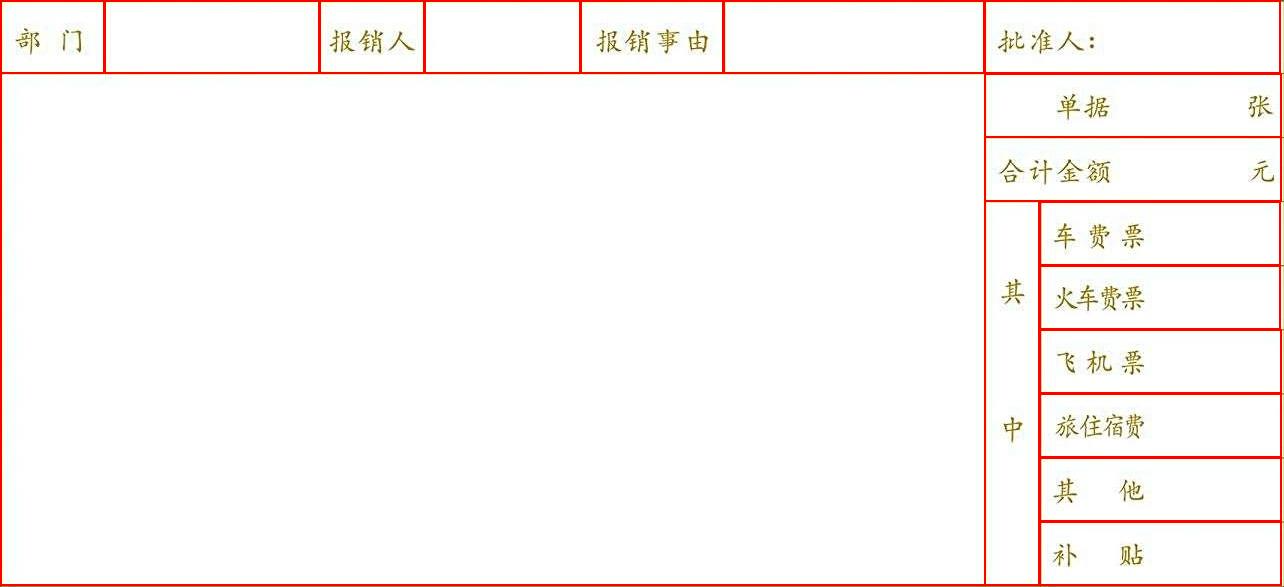
| 部门 | 报销人 | 报销事由 | 批准人: | ||||
| 单据 张 | |||||||
| 合计金额 元 | |||||||
| 其 中 | 车费票 | ||||||
| 火车费票 | |||||||
| 飞机票 | |||||||
| 旅住宿费 | |||||||
| 其他 | |||||||
| 补贴 | |||||||
save_path, and the visualization results are as follows:
 ### 2.2 Python Script Integration
The command line method is designed for quick experience and viewing effects. Generally, in a project, it is often necessary to integrate through code. You can complete quick inference of the pipeline with just a few lines of code. The inference code is as follows:
```python
from paddleocr import TableRecognitionPipelineV2
pipeline = TableRecognitionPipelineV2()
# ocr = TableRecognitionPipelineV2(use_doc_orientation_classify=True) # Specify whether to use the document orientation classification model with use_doc_orientation_classify
# ocr = TableRecognitionPipelineV2(use_doc_unwarping=True) # Specify whether to use the text image unwarping module with use_doc_unwarping
# ocr = TableRecognitionPipelineV2(device="gpu") # Specify the device to use GPU for model inference
output = pipeline.predict("./table_recognition_v2.jpg")
for res in output:
res.print() ## Print the predicted structured output
res.save_to_img("./output/")
res.save_to_xlsx("./output/")
res.save_to_html("./output/")
res.save_to_json("./output/")
```
In the above Python script, the following steps are performed:
(1) Instantiate the general table recognition V2 pipeline object using
### 2.2 Python Script Integration
The command line method is designed for quick experience and viewing effects. Generally, in a project, it is often necessary to integrate through code. You can complete quick inference of the pipeline with just a few lines of code. The inference code is as follows:
```python
from paddleocr import TableRecognitionPipelineV2
pipeline = TableRecognitionPipelineV2()
# ocr = TableRecognitionPipelineV2(use_doc_orientation_classify=True) # Specify whether to use the document orientation classification model with use_doc_orientation_classify
# ocr = TableRecognitionPipelineV2(use_doc_unwarping=True) # Specify whether to use the text image unwarping module with use_doc_unwarping
# ocr = TableRecognitionPipelineV2(device="gpu") # Specify the device to use GPU for model inference
output = pipeline.predict("./table_recognition_v2.jpg")
for res in output:
res.print() ## Print the predicted structured output
res.save_to_img("./output/")
res.save_to_xlsx("./output/")
res.save_to_html("./output/")
res.save_to_json("./output/")
```
In the above Python script, the following steps are performed:
(1) Instantiate the general table recognition V2 pipeline object using TableRecognitionPipelineV2(). The specific parameter descriptions are as follows:
| Parameter | Description | Type | Default Value | |
|---|---|---|---|---|
layout_detection_model_name |
Meaning:Name of the layout detection model. Description: If set to None, the default model of the pipeline will be used. |
str|None |
None |
|
layout_detection_model_dir |
Meaning:Directory path of the layout detection model. Description: If set to None, the official model will be downloaded. |
str|None |
None |
|
table_classification_model_name |
Meaning:Name of the table classification model. Description: If set to None, the default model of the pipeline will be used. |
str|None |
None |
|
table_classification_model_dir |
Meaning:Directory path of the table classification model. Description: If set to None, the official model will be downloaded. |
str|None |
None |
|
wired_table_structure_recognition_model_name |
Meaning:Name of the wired table structure recognition model. Description: If set to None, the default model of the pipeline will be used. |
str|None |
None |
|
wired_table_structure_recognition_model_dir |
Meaning:Directory path of the wired table structure recognition model. Description: If set to None, the official model will be downloaded. |
str|None |
None |
|
wireless_table_structure_recognition_model_name |
Meaning:Name of the wireless table structure recognition model. Description: If set to None, the default model of the pipeline will be used. |
str|None |
None |
|
wireless_table_structure_recognition_model_dir |
Meaning:Directory path of the wireless table structure recognition model. Description: If set to None, the official model will be downloaded. |
str|None |
None |
|
wired_table_cells_detection_model_name |
Name of the wired table cell detection model. | Meaning:Name of the wired table cell detection model. Description: If set to None, the default model of the pipeline will be used. |
str|None |
None |
wired_table_cells_detection_model_dir |
Directory path of the wired table cell detection model. | Meaning:Directory path of the wired table cell detection model. Description: If set to None, the official model will be downloaded. |
str|None |
None |
wireless_table_cells_detection_model_name |
Name of the wireless table cell detection model. | Meaning:Name of the wireless table cell detection model. Description: If set to None, the default model of the pipeline will be used. |
str|None |
None |
wireless_table_cells_detection_model_dir |
Directory path of the wireless table cell detection model. | Meaning:Directory path of the wireless table cell detection model. Description: If set to None, the official model will be downloaded. |
str|None |
None |
doc_orientation_classify_model_name |
Name of the document orientation classification model. | Meaning:Name of the document orientation classification model. Description: If set to None, the default model of the pipeline will be used. |
str|None |
None |
doc_orientation_classify_model_dir |
Directory path of the document orientation classification model. | Meaning:Directory path of the document orientation classification model. Description: If set to None, the official model will be downloaded. |
str|None |
None |
doc_unwarping_model_name |
Name of the text image unwarping model. | Meaning:Name of the text image unwarping model. Description: If set to None, the default model of the pipeline will be used. |
str|None |
None |
doc_unwarping_model_dir |
Directory path of the text image unwarping model. | Meaning:Directory path of the text image unwarping model. Description: If set to None, the official model will be downloaded. |
str|None |
None |
text_detection_model_name |
Name of the text detection model. | Meaning:Name of the text detection model. Description: If set to None, the default model of the pipeline will be used. |
str|None |
None |
text_detection_model_dir |
Directory path of the text detection model. | Meaning:Directory path of the text detection model. Description: If set to None, the official model will be downloaded. |
str|None |
None |
text_det_limit_side_len |
Meaning:Image side length limit for text detection. Description:
|
int|None |
None |
|
text_det_limit_type |
Meaning:Type of the image side length limit for text detection. Description:
|
str|None |
None |
|
text_det_thresh |
Meaning:Detection pixel threshold. In the output probability map, only pixels with a score greater than this threshold will be considered text pixels. Description:
|
float|None |
None |
|
text_det_box_thresh |
Meaning:Detection box threshold. When the average score of all pixels within the detection result box is greater than this threshold, the result is considered a text area. Description:
|
float|None |
None |
|
text_det_unclip_ratio |
Meaning:Text detection expansion coefficient. This method expands the text area; the larger this value, the larger the expanded area. Description:
|
float|None |
None |
|
text_recognition_model_name |
Meaning:Name of the text recognition model. Description: If set to None, the default model of the pipeline will be used. |
str|None |
None |
|
text_recognition_model_dir |
Directory path of the text recognition model. | Meaning:Directory path of the text recognition model. Description: If set to None, the official model will be downloaded. |
str|None |
None |
text_recognition_batch_size |
Batch size for the text recognition model. | Meaning:Batch size for the text recognition model. Description: If set to None, the default batch size will be set to 1. |
int|None |
None |
text_rec_score_thresh |
Meaning:Text recognition threshold. Text results with a score greater than this threshold will be retained. Description:
|
float|None |
None |
|
use_doc_orientation_classify |
Meaning:Whether to load and use the document orientation classification module. Description: If set to None, the value initialized by the pipeline will be used, which defaults to True. |
bool|None |
None |
|
use_doc_unwarping |
Whether to load and use the text image unwarping module. | Meaning:Whether to load and use the text image unwarping module. Description: If set to None, the value initialized by the pipeline will be used, which defaults to True. |
bool|None |
None |
use_layout_detection |
Whether to load and use the layout detection module. | Meaning:Whether to load and use the layout detection module. Description: If set to None, the value initialized by the pipeline will be used, which defaults to True. |
bool|None |
None |
use_ocr_model |
Whether to load and use the OCR module. | Meaning:Whether to load and use the OCR module. Description: If set to None, the value initialized by the pipeline will be used, which defaults to True. |
bool|None |
None |
device |
Meaning:The device used for inference. Description: Supports specifying a specific card number:
|
str|None |
None |
|
enable_hpi |
Meaning:Whether to enable high-performance inference. | bool |
False |
|
use_tensorrt |
Meaning:Whether to use the Paddle Inference TensorRT subgraph engine. If the model does not support acceleration through TensorRT, setting this flag will not enable acceleration. Description: For Paddle with CUDA version 11.8, the compatible TensorRT version is 8.x (x>=6), and it is recommended to install TensorRT 8.6.1.6. |
bool |
False |
|
precision |
Meaning:Computation precision, such as fp32, fp16. | str |
"fp32" |
|
enable_mkldnn |
Meaning:Whether to enable MKL-DNN acceleration for inference. Description: If MKL-DNN is unavailable or the model does not support it, acceleration will not be used even if this flag is set. |
bool |
True |
|
mkldnn_cache_capacity |
Meaning:MKL-DNN cache capacity. | int |
10 |
|
cpu_threads |
Meaning:Number of threads to use for inference on the CPU. | int |
8 |
|
paddlex_config |
Meaning:Path to PaddleX pipeline configuration file. | str|None |
None |
predict() method of the general table recognition V2 pipeline object to perform inference prediction, which returns a result list.
Additionally, the pipeline also provides the predict_iter() method. Both methods accept the same parameters and return results in the same way; the difference is that predict_iter() returns a generator, allowing for gradual processing and retrieval of prediction results, suitable for handling large datasets or for scenarios where memory savings are desired. You can choose to use either method based on your actual needs.
The parameters and descriptions of the predict() method are as follows:
| Parameter | Description | Type | Default Value |
|---|---|---|---|
input |
Meaning:Data to be predicted, supports multiple input types, required. Description:
|
Python Var|str|list |
|
use_doc_orientation_classify |
Meaning:Whether to use the document orientation classification module during inference. | bool|None |
None |
use_doc_unwarping |
Meaning:Whether to use the text image unwarping module during inference. | bool|None |
None |
use_layout_detection |
Meaning:Whether to use the layout detection module during inference. | bool|None |
None |
use_ocr_model |
Meaning:Whether to use the ocr model during inference. |
bool|None |
None |
text_det_limit_side_len |
Meaning:Same meaning as the instantiation parameters. Description: If set to None, the instantiation value is used; otherwise, this parameter takes precedence. |
int|None |
None |
text_det_limit_type |
Meaning:Same meaning as the instantiation parameters. Description: If set to None, the instantiation value is used; otherwise, this parameter takes precedence. |
str|None |
None |
text_det_thresh |
Meaning:Same meaning as the instantiation parameters. Description: If set to None, the instantiation value is used; otherwise, this parameter takes precedence. |
float|None |
None |
text_det_box_thresh |
Meaning:Same meaning as the instantiation parameters. Description: If set to None, the instantiation value is used; otherwise, this parameter takes precedence. |
float|None |
None |
text_det_unclip_ratio |
Meaning:Same meaning as the instantiation parameters. Description: If set to None, the instantiation value is used; otherwise, this parameter takes precedence. |
float|None |
None |
text_rec_score_thresh |
Meaning:Same meaning as the instantiation parameters. Description: If set to None, the instantiation value is used; otherwise, this parameter takes precedence. |
float|None |
None |
use_e2e_wired_table_rec_model |
Meaning:Whether to use the wired end-to-end table recognition mode during inference. | bool |
False |
use_e2e_wireless_table_rec_model |
Meaning:Whether to use the wireless end-to-end table recognition mode during inference. | bool |
False |
use_wired_table_cells_trans_to_html |
Meaning:Whether to use the wired table cell detection result direct-to-HTML mode during inference. Description: If enabled, it directly constructs the HTML based on the geometric relationships of the wired table cell detection results. |
bool |
False |
use_wireless_table_cells_trans_to_html |
Meaning:Whether to use the wireless table cell detection result direct-to-HTML mode during inference. Description: If enabled, it directly constructs the HTML based on the geometric relationships of the wireless table cell detection results. |
bool |
False |
use_table_orientation_classify |
Meaning:Whether to use the table orientation classification mode during inference. Description: If enabled, it can correct the direction and correctly complete table recognition when the table in the image has 90/180/270-degree rotation. |
bool |
True |
use_ocr_results_with_table_cells |
Meaning:Whether to use the cell-split OCR mode during inference. Description: If enabled, it will split and re-recognize OCR detection results based on the cell prediction results to avoid missing text. |
bool |
True |
xlsx file, saving as an HTML file, and saving as a json file:
| Method | Description | Parameter | Type | Parameter Description | Default Value |
|---|---|---|---|---|---|
print() |
Print results to the terminal | format_json |
bool |
Whether to format the output content using JSON indentation. |
True |
indent |
int |
Specify the indentation level to beautify the output JSON data, making it more readable. Effective only when format_json is True. |
4 | ||
ensure_ascii |
bool |
Control whether to escape non-ASCII characters to Unicode. When set to True, all non-ASCII characters will be escaped; False keeps the original characters. Effective only when format_json is True. |
False |
||
save_to_json() |
Save results as a json format file | save_path |
str |
The path to save the file. When it is a directory, the saved file will be named the same as the input file type. | None |
indent |
int |
Specify the indentation level to beautify the output JSON data, making it more readable. Effective only when format_json is True. |
4 | ||
ensure_ascii |
bool |
Control whether to escape non-ASCII characters to Unicode. When set to True, all non-ASCII characters will be escaped; False keeps the original characters. Effective only when format_json is True. |
False |
||
save_to_img() |
Save results as an image format file | save_path |
str |
The path to save the file, supporting directory or file path. | None |
save_to_xlsx() |
Save results as an xlsx format file | save_path |
str |
The path to save the file, supporting directory or file path. | None |
save_to_html() |
Save results as an html format file | save_path |
str |
The path to save the file, supporting directory or file path. | None |
print() method will print the results to the terminal. The content printed to the terminal is explained as follows:
input_path: (str) The input path of the image to be predicted.page_index: (Union[int, None]) If the input is a PDF file, it represents the current page number of the PDF file; otherwise, it is None.model_settings: (Dict[str, bool]) Configuration parameters required for the production line.
use_doc_preprocessor: (bool) Control whether to enable the document preprocessing sub-line.use_layout_detection: (bool) Control whether to enable the layout detection sub-line.use_ocr_model: (bool) Control whether to enable the OCR sub-line.layout_det_res: (Dict[str, Union[List[numpy.ndarray], List[float]]]) Output results of the layout detection sub-module. Only exists when use_layout_detection=True
input_path: (Union[str, None]) The image path accepted by the layout detection area module, saved as None when the input is numpy.ndarray.page_index: (Union[int, None]) If the input is a PDF file, it represents the current page number of the PDF file; otherwise, it is None.boxes: (List[Dict]) A list of layout seal area detection boxes. Each element in the list contains the following fields
cls_id: (int) The class ID of the layout seal area detection box.score: (float) The confidence score of the layout seal area detection box.coordinate: (List[float]) The coordinates of the four vertices of the layout seal area detection box, in the order of x1, y1, x2, y2, representing the top-left x coordinate, top-left y coordinate, bottom-right x coordinate, and bottom-right y coordinate.doc_preprocessor_res: (Dict[str, Union[str, Dict[str, bool], int]]) Output results of the document preprocessing sub-module. Only exists when use_doc_preprocessor=True
input_path: (Union[str, None]) The image path accepted by the document preprocessing area module, saved as None when the input is numpy.ndarray.page_index: (Union[int, None]) If the input is a PDF file, it represents the current page number of the PDF file; otherwise, it is None.model_settings: (Dict) Model configuration parameters of the document preprocessing sub-line.model_settings: (Dict) Model configuration parameters of the document preprocessing sub-line.
use_doc_orientation_classify: (bool) Control whether to enable document orientation classification.use_doc_unwarping: (bool) Control whether to enable text image unwarping.angle: (int) The predicted result of document orientation classification. Enabled values are [0,1,2,3], corresponding to [0°,90°,180°,270°]; disabled value is -1.dt_polys: (List[numpy.ndarray]) List of text detection polygons. Each detection box is represented by a numpy array of shape (4, 2), with data type int16.dt_scores: (List[float]) List of text detection box confidence scorestext_det_params: (Dict[str, Dict[str, int, float]]) Configuration parameters for the text detection module.
limit_side_len: (int) Side length limit value during image preprocessing.limit_type: (str) Type of side length limit processing.thresh: (float) Confidence threshold for text pixel classification.box_thresh: (float) Confidence threshold for text detection boxes.unclip_ratio: (float) Expansion coefficient for text detection boxes.text_type: (str) Type of text detection, currently fixed as "general".text_rec_score_thresh: (float) Confidence threshold for text recognition results filtering.rec_texts: (List[str]) List of text recognition results, only containing texts with confidence scores higher than text_rec_score_thresh.rec_scores: (List[float]) List of text recognition confidence scores, filtered by text_rec_score_thresh.rec_polys: (List[numpy.ndarray]) List of text detection boxes after confidence filtering, in the same format as dt_polys.rec_boxes: (numpy.ndarray) Array of rectangular bounding boxes for text detection boxes, with shape (n, 4) and dtype int16. Each row represents the coordinates of a rectangular box in the format [x_min, y_min, x_max, y_max], where (x_min, y_min) is the top-left coordinate and (x_max, y_max) is the bottom-right coordinate.save_to_json() method will save the above content to the specified save_path. If a directory is specified, the saved path will be save_path/{your_img_basename}_res.json; if a file is specified, it will be saved directly to that file. Since json files do not support saving numpy arrays, the numpy.array types will be converted to list format.save_to_img() method will save the visualization results to the specified save_path. If a directory is specified, the saved path will be save_path/{your_img_basename}_ocr_res_img.{your_img_extension}; if a file is specified, it will be saved directly to that file. (The pipeline usually contains many result images, so it is not recommended to specify a specific file path directly, as multiple images will be overwritten and only the last image will be retained.)save_to_html() method will save the above content to the specified save_path. If a directory is specified, the saved path will be save_path/{your_img_basename}_table_1.html; if a file is specified, it will be saved directly to that file. In the general table recognition V2 pipeline, the HTML format of the table in the image will be written to the specified HTML file.save_to_xlsx() method will save the above content to the specified save_path. If a directory is specified, the saved path will be save_path/{your_img_basename}_res.xlsx; if a file is specified, it will be saved directly to that file. In the general table recognition V2 pipeline, the Excel format of the table in the image will be written to the specified xlsx file.| Attribute | Description |
|---|---|
json |
Get the prediction results in json format |
img |
Get visualization images in dict format |
json attribute is of dict type, and the relevant content is consistent with the content saved by calling the save_to_json() method.img attribute is a dictionary type data. The keys are table_res_img、ocr_res_img 、layout_res_img, and preprocessed_img, and the corresponding values are four Image.Image objects, in the order of: visualization image of the table recognition result, visualization image of the OCR result, visualization image of the layout area detection result, and visualization image of the image preprocessing. If a certain sub-module is not used, the corresponding result image will not be included in the dictionary.The main operations provided by the service are as follows:
200, and the properties of the response body are as follows:| Name | Type | Meaning |
|---|---|---|
logId |
string |
Request UUID. |
errorCode |
integer |
Error code. Fixed to 0. |
errorMsg |
string |
Error description. Fixed to "Success". |
result |
object |
Operation result. |
| Name | Type | Meaning |
|---|---|---|
logId |
string |
Request UUID. |
errorCode |
integer |
Error code. Same as the response status code. |
errorMsg |
string |
Error description. |
The main operation provided by the service is as follows:
inferLocate and identify tables in the image.
POST /table-recognition
| Name | Type | Meaning | Required |
|---|---|---|---|
file |
string |
URL of an accessible image file or PDF file on the server, or the Base64 encoded result of the content of the above types of files. By default, for PDF files with more than 10 pages, only the first 10 pages will be processed. To lift the page limit, please add the following configuration in the model configuration file: |
Yes |
fileType |
integer | null |
File type. 0 represents a PDF file, 1 represents an image file. If this property is not present in the request body, the file type will be inferred from the URL. |
No |
useDocOrientationClassify |
boolean | null |
Please refer to the use_doc_orientation_classify parameter description in the predict method of the model object. |
No |
useDocUnwarping |
boolean | null |
Please refer to the use_doc_unwarping parameter description in the predict method of the model object. |
No |
useLayoutDetection |
boolean | null |
Please refer to the use_layout_detection parameter description in the predict method of the model object. |
No |
useOcrModel |
boolean | null |
Please refer to the use_ocr_model parameter description in the predict method of the model object. |
No |
textDetLimitSideLen |
integer | null |
Please refer to the text_det_limit_side_len parameter description in the predict method of the model object. |
No |
textDetLimitType |
string | null |
Please refer to the text_det_limit_type parameter description in the predict method of the model object. |
No |
textDetThresh |
number | null |
Please refer to the text_det_thresh parameter description in the predict method of the model object. |
No |
textDetBoxThresh |
number | null |
Please refer to the text_det_box_thresh parameter description in the predict method of the model object. |
No |
textDetUnclipRatio |
number | null |
Please refer to the text_det_unclip_ratio parameter description in the predict method of the model object. |
No |
textRecScoreThresh |
number | null |
Please refer to the text_rec_score_thresh parameter description in the predict method of the model object. |
No |
useTableCellsOcrResults |
boolean |
Please refer to the use_table_cells_ocr_results parameter description in the predict method of the model object. |
No |
useE2eWiredTableRecModel |
boolean |
Please refer to the use_e2e_wired_table_rec_model parameter description in the predict method of the model object. |
No |
useE2eWirelessTableRecModel |
boolean |
Please refer to the use_e2e_wireless_table_rec_model parameter description in the predict method of the model object. |
No |
visualize |
boolean | null |
Whether to return the final visualization image and intermediate images during the processing.
For example, adding the following setting to the pipeline config file: visualize parameter in the request.If neither the request body nor the configuration file is set (If visualize is set to null in the request and not defined in the configuration file), the image is returned by default.
|
No |
result in the response body has the following properties:| Name | Type | Meaning |
|---|---|---|
tableRecResults |
object |
Table recognition results. The length of the array is 1 (for image input) or the actual number of processed document pages (for PDF input). For PDF input, each element in the array represents the result of each processed page in the PDF file. |
dataInfo |
object |
Input data information. |
Each element in tableRecResults is an object with the following properties:
| Name | Type | Meaning |
|---|---|---|
prunedResult |
object |
A simplified version of the JSON representation of the result generated by the predict method of the model object, where the input_path and page_index fields are removed. |
outputImages |
object | null |
Refer to the img property description of the model prediction results. The images are in JPEG format and encoded in Base64. |
inputImage |
string | null |
Input image. The image is in JPEG format and encoded in Base64. |
import base64
import requests

API_URL = "http://localhost:8080/table-recognition"
file_path = "./demo.jpg"

with open(file_path, "rb") as file:
    file_bytes = file.read()
    file_data = base64.b64encode(file_bytes).decode("ascii")

payload = {"file": file_data, "fileType": 1}

response = requests.post(API_URL, json=payload)

assert response.status_code == 200
result = response.json()["result"]
for i, res in enumerate(result["tableRecResults"]):
    print(res["prunedResult"])
    for img_name, img in res["outputImages"].items():
        img_path = f"{img_name}_{i}.jpg"
        with open(img_path, "wb") as f:
            f.write(base64.b64decode(img))
        print(f"Output image saved at {img_path}")
#include <iostream>
#include <fstream>
#include <vector>
#include <string>
#include "cpp-httplib/httplib.h" // https://github.com/Huiyicc/cpp-httplib
#include "nlohmann/json.hpp" // https://github.com/nlohmann/json
#include "base64.hpp" // https://github.com/tobiaslocker/base64

int main() {
    httplib::Client client("localhost", 8080);
    const std::string filePath = "./demo.jpg";
    std::ifstream file(filePath, std::ios::binary | std::ios::ate);
    if (!file) {
        std::cerr << "Error opening file." << std::endl;
        return 1;
    }

    std::streamsize size = file.tellg();
    file.seekg(0, std::ios::beg);
    std::vector buffer(size);

    if (!file.read(buffer.data(), size)) {
        std::cerr << "Error reading file." << std::endl;
        return 1;
    }

    std::string bufferStr(buffer.data(), static_cast(size));
    std::string encodedFile = base64::to_base64(bufferStr);

    nlohmann::json jsonObj;
    jsonObj["file"] = encodedFile;
    jsonObj["fileType"] = 1;

    auto response = client.Post("/table-recognition", jsonObj.dump(), "application/json");

    if (response && response->status == 200) {
        nlohmann::json jsonResponse = nlohmann::json::parse(response->body);
        auto result = jsonResponse["result"];

        if (!result.is_object() || !result["tableRecResults"].is_array()) {
            std::cerr << "Unexpected response structure." << std::endl;
            return 1;
        }

        for (size_t i = 0; i < result["tableRecResults"].size(); ++i) {
            auto tableRecResult = result["tableRecResults"][i];
            std::cout << tableRecResult["prunedResult"] << std::endl;

            if (tableRecResult["outputImages"].is_object()) {
                for (auto& img : tableRecResult["outputImages"].items()) {
                    std::string imgName = img.key();
                    std::string encodedImage = img.value();
                    std::string decodedImage = base64::from_base64(encodedImage);

                    std::string imgPath = imgName + "_" + std::to_string(i) + ".jpg";
                    std::ofstream outputImage(imgPath, std::ios::binary);
                    if (outputImage.is_open()) {
                        outputImage.write(decodedImage.c_str(), static_cast(decodedImage.size()));
                        outputImage.close();
                        std::cout << "Output image saved at " << imgPath << std::endl;
                    } else {
                        std::cerr << "Unable to open file for writing: " << imgPath << std::endl;
                    }
                }
            }
        }
    } else {
        std::cerr << "Failed to send HTTP request." << std::endl;
        if (response) {
            std::cerr << "HTTP status code: " << response->status << std::endl;
            std::cerr << "Response body: " << response->body << std::endl;
        }
        return 1;
    }

    return 0;
}
import okhttp3.*;
import com.fasterxml.jackson.databind.ObjectMapper;
import com.fasterxml.jackson.databind.JsonNode;
import com.fasterxml.jackson.databind.node.ObjectNode;

import java.io.File;
import java.io.FileOutputStream;
import java.io.IOException;
import java.util.Base64;

public class Main {
    public static void main(String[] args) throws IOException {
        String API_URL = "http://localhost:8080/table-recognition";
        String imagePath = "./demo.jpg";

        File file = new File(imagePath);
        byte[] fileContent = java.nio.file.Files.readAllBytes(file.toPath());
        String base64Image = Base64.getEncoder().encodeToString(fileContent);

        ObjectMapper objectMapper = new ObjectMapper();
        ObjectNode payload = objectMapper.createObjectNode();
        payload.put("file", base64Image);
        payload.put("fileType", 1);

        OkHttpClient client = new OkHttpClient();
        MediaType JSON = MediaType.get("application/json; charset=utf-8");
        RequestBody body = RequestBody.create(JSON, payload.toString());

        Request request = new Request.Builder()
                .url(API_URL)
                .post(body)
                .build();

        try (Response response = client.newCall(request).execute()) {
            if (response.isSuccessful()) {
                String responseBody = response.body().string();
                JsonNode root = objectMapper.readTree(responseBody);
                JsonNode result = root.get("result");

                JsonNode tableRecResults = result.get("tableRecResults");
                for (int i = 0; i < tableRecResults.size(); i++) {
                    JsonNode item = tableRecResults.get(i);

                    JsonNode prunedResult = item.get("prunedResult");
                    System.out.println("Pruned Result [" + i + "]: " + prunedResult.toString());

                    JsonNode outputImages = item.get("outputImages");

                    outputImages.fieldNames().forEachRemaining(imgName -> {
                        String imgBase64 = outputImages.get(imgName).asText();
                        byte[] imgBytes = Base64.getDecoder().decode(imgBase64);
                        String imgPath = "output_" + imgName +  ".jpg";
                        try (FileOutputStream fos = new FileOutputStream(imgPath)) {
                            fos.write(imgBytes);
                            System.out.println("Saved image to: " + imgPath);
                        } catch (IOException e) {
                            e.printStackTrace();
                        }
                    });
                }
            } else {
                System.err.println("Request failed with HTTP code: " + response.code());
            }
        }
    }
}
package main

import (
    "bytes"
    "encoding/base64"
    "encoding/json"
    "fmt"
    "io/ioutil"
    "net/http"
)

func main() {
    API_URL := "http://localhost:8080/table-recognition"
    filePath := "./demo.jpg"

    fileBytes, err := ioutil.ReadFile(filePath)
    if err != nil {
        fmt.Printf("Error reading file: %v\n", err)
        return
    }
    fileData := base64.StdEncoding.EncodeToString(fileBytes)

    payload := map[string]interface{}{
        "file":     fileData,
        "fileType": 1,
    }
    payloadBytes, err := json.Marshal(payload)
    if err != nil {
        fmt.Printf("Error marshaling payload: %v\n", err)
        return
    }

    client := &http.Client{}
    req, err := http.NewRequest("POST", API_URL, bytes.NewBuffer(payloadBytes))
    if err != nil {
        fmt.Printf("Error creating request: %v\n", err)
        return
    }
    req.Header.Set("Content-Type", "application/json")

    res, err := client.Do(req)
    if err != nil {
        fmt.Printf("Error sending request: %v\n", err)
        return
    }
    defer res.Body.Close()

    if res.StatusCode != http.StatusOK {
        fmt.Printf("Unexpected status code: %d\n", res.StatusCode)
        return
    }

    body, err := ioutil.ReadAll(res.Body)
    if err != nil {
        fmt.Printf("Error reading response body: %v\n", err)
        return
    }

    type TableRecResult struct {
        PrunedResult  map[string]interface{} `json:"prunedResult"`
        OutputImages  map[string]string      `json:"outputImages"`
        InputImage    *string                `json:"inputImage"`
    }

    type Response struct {
        Result struct {
            TableRecResults []TableRecResult `json:"tableRecResults"`
            DataInfo        interface{}      `json:"dataInfo"`
        } `json:"result"`
    }

    var respData Response
    if err := json.Unmarshal(body, &respData); err != nil {
        fmt.Printf("Error unmarshaling response: %v\n", err)
        return
    }

    for i, res := range respData.Result.TableRecResults {
        fmt.Printf("Result %d - prunedResult: %+v\n", i, res.PrunedResult)

        for imgName, imgData := range res.OutputImages {
            imgBytes, err := base64.StdEncoding.DecodeString(imgData)
            if err != nil {
                fmt.Printf("Error decoding image %s_%d: %v\n", imgName, i, err)
                continue
            }

            filename := fmt.Sprintf("%s_%d.jpg", imgName, i)
            if err := ioutil.WriteFile(filename, imgBytes, 0644); err != nil {
                fmt.Printf("Error saving image %s: %v\n", filename, err)
                continue
            }
            fmt.Printf("Saved image to %s\n", filename)
        }
    }
}
using System;
using System.IO;
using System.Net.Http;
using System.Text;
using System.Threading.Tasks;
using Newtonsoft.Json.Linq;

class Program
{
    static readonly string API_URL = "http://localhost:8080/table-recognition";
    static readonly string inputFilePath = "./demo.jpg";

    static async Task Main(string[] args)
    {
        var httpClient = new HttpClient();

        byte[] fileBytes = File.ReadAllBytes(inputFilePath);
        string fileData = Convert.ToBase64String(fileBytes);

        var payload = new JObject
        {
            { "file", fileData },
            { "fileType", 1 }
        };
        var content = new StringContent(payload.ToString(), Encoding.UTF8, "application/json");

        HttpResponseMessage response = await httpClient.PostAsync(API_URL, content);
        response.EnsureSuccessStatusCode();

        string responseBody = await response.Content.ReadAsStringAsync();
        JObject jsonResponse = JObject.Parse(responseBody);

        JArray tableRecResults = (JArray)jsonResponse["result"]["tableRecResults"];
        for (int i = 0; i < tableRecResults.Count; i++)
        {
            var res = tableRecResults[i];
            Console.WriteLine($"[{i}] prunedResult:\n{res["prunedResult"]}");

            JObject outputImages = res["outputImages"] as JObject;
            if (outputImages != null)
            {
                foreach (var img in outputImages)
                {
                    string imgName = img.Key;
                    string base64Img = img.Value?.ToString();
                    if (!string.IsNullOrEmpty(base64Img))
                    {
                        string imgPath = $"{imgName}_{i}.jpg";
                        byte[] imageBytes = Convert.FromBase64String(base64Img);
                        File.WriteAllBytes(imgPath, imageBytes);
                        Console.WriteLine($"Output image saved at {imgPath}");
                    }
                }
            }
        }
    }
}
const axios = require('axios');
const fs = require('fs');
const path = require('path');

const API_URL = 'http://localhost:8080/table-recognition';
const inputImagePath = './demo.jpg';

function encodeImageToBase64(filePath) {
  const bitmap = fs.readFileSync(filePath);
  return Buffer.from(bitmap).toString('base64');
}

async function callTableRecognitionAPI() {
  const payload = {
    file: encodeImageToBase64(inputImagePath),
    fileType: 1
  };

  try {
    const response = await axios.post(API_URL, payload, {
      headers: {
        'Content-Type': 'application/json'
      },
      maxBodyLength: Infinity
    });

    const results = response.data.result.tableRecResults;

    results.forEach((res, index) => {
      console.log(`Result [${index}] prunedResult:\n`, res.prunedResult);

      const outputImages = res.outputImages || {};
      Object.entries(outputImages).forEach(([imgName, base64Img]) => {
        const outputPath = `${imgName}_${index}.jpg`;
        fs.writeFileSync(outputPath, Buffer.from(base64Img, 'base64'));
        console.log(`Saved image: ${outputPath}`);
      });
    });

  } catch (error) {
    console.error('API request failed:', error.message);
  }
}

callTableRecognitionAPI();
<?php

$API_URL = "http://localhost:8080/table-recognition";
$image_path = "./demo.jpg";

$image_data = base64_encode(file_get_contents($image_path));
$payload = array(
    "file" => $image_data,
    "fileType" => 1
);

$ch = curl_init($API_URL);
curl_setopt($ch, CURLOPT_POST, true);
curl_setopt($ch, CURLOPT_POSTFIELDS, json_encode($payload));
curl_setopt($ch, CURLOPT_HTTPHEADER, array('Content-Type: application/json'));
curl_setopt($ch, CURLOPT_RETURNTRANSFER, true);
$response = curl_exec($ch);
curl_close($ch);

$result_array = json_decode($response, true);
$results = $result_array["result"]["tableRecResults"];

foreach ($results as $i => $item) {
    echo "[$i] prunedResult:\n";
    print_r($item["prunedResult"]);

    if (!empty($item["outputImages"])) {
        foreach ($item["outputImages"] as $img_name => $base64_img) {
            $img_path = $img_name . "_" . $i . ".jpg";
            file_put_contents($img_path, base64_decode($base64_img));
            echo "Output image saved at $img_path\n";
        }
    } else {
        echo "No outputImages found for item $i\n";
    }
}
?>
| Situation | Fine-Tuning Module | Fine-Tuning Reference Link |
|---|---|---|
| Table classification error | Table Classification Module | Link |
| Table cell location error | Table Cell Detection Module | Link |
| Table structure recognition error | Table Structure Recognition Module | Link |
| Failed to detect the area where the table is located | Layout Area Detection Module | Link |
| Text detection missed | Text Detection Module | Link |
| Incorrect text content | Text Recognition Module | Link |
| Overall image rotation/table rotation correction is inaccurate | Document Image Orientation Classification Module | Link |
| Image distortion correction is inaccurate | Text Image Correction Module | Fine-tuning not supported |