
PP-StructureV3.en.md 180 KB
comments: true
PP-StructureV3 Pipeline Usage Tutorial
1. Introduction to PP-StructureV3 Pipeline
Layout analysis is a technique used to extract structured information from document images. It is primarily used to convert complex document layouts into machine-readable data formats. This technology has broad applications in document management, information extraction, and data digitization. Layout analysis combines Optical Character Recognition (OCR), image processing, and machine learning algorithms to identify and extract text blocks, titles, paragraphs, images, tables, and other layout elements from documents. This process generally includes three main steps: layout analysis, element analysis, and data formatting. The final result is structured document data, which enhances the efficiency and accuracy of data processing. PP-StructureV3 improves upon the general layout analysis v1 pipeline by enhancing layout region detection, table recognition, and formula recognition. It also adds capabilities such as multi-column reading order recovery, chart understanding, and result conversion to Markdown files. It performs excellently across various document types and can handle complex document data. This pipeline also provides flexible service deployment options, supporting invocation using multiple programming languages on various hardware. In addition, it offers secondary development capabilities, allowing you to train and fine-tune models on your own dataset and integrate the trained models seamlessly.
The PP-StructureV3 pipeline consists of the following seven modules or sub-pipelines. Each module or sub-pipeline can be trained and inferred independently and contains multiple models. For more details, please click the corresponding links to view the documentation.
- Layout Detection Module
- General OCR Subline
- Document Image Preprocessing Subline (Optional)
- Table Recognition Subline (Optional)
- Seal Text Recognition Subline (Optional)
- Formula Recognition Subline (Optional)
- Chart Parsing Module (Optional)
In this pipeline, you can choose the model to use based on the benchmark data below.
The inference time only includes the model inference time and does not include the time for pre- or post-processing.
Document Image Orientation Classification Module :
| Model | Download Link | Top-1 Acc (%) | GPU Inference Time (ms) [Standard Mode / High Performance Mode] |
CPU Inference Time (ms) [Standard Mode / High Performance Mode] |
Model Storage Size (MB) | Description |
|---|---|---|---|---|---|---|
| PP-LCNet_x1_0_doc_ori | Inference Model/Pretrained Model | 99.06 | 2.62 / 0.59 | 3.24 / 1.19 | 7 | Document image classification model based on PP-LCNet_x1_0, supporting four categories: 0°, 90°, 180°, 270° |
Text Image Rectification Module:
Text Image Rectification Module (Optional):
| Model | Model Download Link | CER | GPU Inference Time (ms) [Normal Mode / High-Performance Mode] |
CPU Inference Time (ms) [Normal Mode / High-Performance Mode] |
Model Storage Size (MB) | Description |
|---|---|---|---|---|---|---|
| UVDoc | Inference Model/Pretrained Model | 0.179 | 19.05 / 19.05 | - / 869.82 | 30.3 | High-precision text image rectification model |
Layout Detection Module Model:
* The layout detection model includes 20 common categories: document title, paragraph title, text, page number, abstract, table, references, footnotes, header, footer, algorithm, formula, formula number, image, table, seal, figure_table title, chart, and sidebar text and lists of references| Model | Model Download Link | mAP(0.5) (%) | GPU Inference Time (ms) [Normal Mode / High-Performance Mode] |
CPU Inference Time (ms) [Normal Mode / High-Performance Mode] |
Model Storage Size (MB) | Introduction | |||
|---|---|---|---|---|---|---|---|---|---|
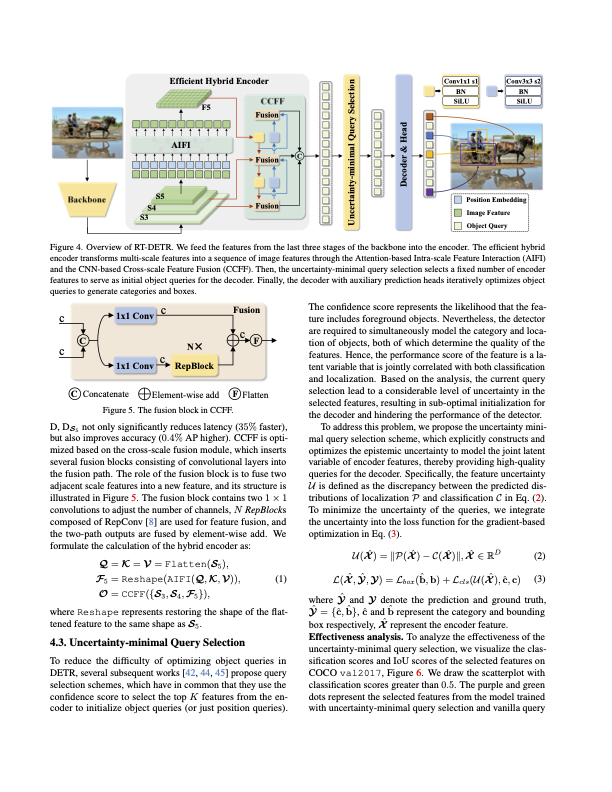
| PP-DocLayout_plus-L | Inference Model/Training Model | 83.2 | 53.03 / 17.23 | 634.62 / 378.32 | 126.01 | A higher-precision layout area localization model trained on a self-built dataset containing Chinese and English papers, PPT, multi-layout magazines, contracts, books, exams, ancient books and research reports using RT-DETR-L | |||
| Model | Model Download Link | mAP(0.5) (%) | GPU Inference Time (ms) [Normal Mode / High-Performance Mode] |
CPU Inference Time (ms) [Normal Mode / High-Performance Mode] |
Model Storage Size (MB) | Introduction | |||
|---|---|---|---|---|---|---|---|---|---|
| PP-DocBlockLayout | Inference Model/Training Model | 95.9 | 34.60 / 28.54 | 506.43 / 256.83 | 123.92 | A layout block localization model trained on a self-built dataset containing Chinese and English papers, PPT, multi-layout magazines, contracts, books, exams, ancient books and research reports using RT-DETR-L | |||
| Model | Download Link | mAP(0.5) (%) | GPU Inference Time (ms) [Standard Mode / High Performance Mode] |
CPU Inference Time (ms) [Standard Mode / High Performance Mode] |
Model Storage Size (MB) | Description |
|---|---|---|---|---|---|---|
| PP-DocLayout-L | Inference Model/Pretrained Model | 90.4 | 33.59 / 33.59 | 503.01 / 251.08 | 123.76 | A high-precision layout area localization model trained on a self-built dataset containing Chinese and English papers, magazines, contracts, books, exams, and research reports using RT-DETR-L. |
| PP-DocLayout-M | Inference Model/Pretrained Model | 75.2 | 13.03 / 4.72 | 43.39 / 24.44 | 22.578 | A layout area localization model with balanced precision and efficiency, trained on a self-built dataset containing Chinese and English papers, magazines, contracts, books, exams, and research reports using PicoDet-L. |
| PP-DocLayout-S | Inference Model/Pretrained Model | 70.9 | 11.54 / 3.86 | 18.53 / 6.29 | 4.834 | A high-efficiency layout area localization model trained on a self-built dataset containing Chinese and English papers, magazines, contracts, books, exams, and research reports using PicoDet-S. |
👉 Details of Model List
* Table Layout Detection Model| Model | Model Download Link | mAP(0.5) (%) | GPU Inference Time (ms) [Normal Mode / High-Performance Mode] |
CPU Inference Time (ms) [Normal Mode / High-Performance Mode] |
Model Storage Size (MB) | Introduction |
|---|---|---|---|---|---|---|
| PicoDet_layout_1x_table | Inference Model/Training Model | 97.5 | 9.57 / 6.63 | 27.66 / 16.75 | 7.4 | A high-efficiency layout area localization model trained on a self-built dataset using PicoDet-1x, capable of detecting table regions. |
| Model | Model Download Link | mAP(0.5) (%) | GPU Inference Time (ms) [Normal Mode / High-Performance Mode] |
CPU Inference Time (ms) [Normal Mode / High-Performance Mode] |
Model Storage Size (MB) | Introduction |
|---|---|---|---|---|---|---|
| PicoDet-S_layout_3cls | Inference Model/Training Model | 88.2 | 8.43 / 3.44 | 17.60 / 6.51 | 4.8 | A high-efficiency layout area localization model trained on a self-built dataset of Chinese and English papers, magazines, and research reports using PicoDet-S. |
| PicoDet-L_layout_3cls | Inference Model/Training Model | 89.0 | 12.80 / 9.57 | 45.04 / 23.86 | 22.6 | A balanced efficiency and precision layout area localization model trained on a self-built dataset of Chinese and English papers, magazines, and research reports using PicoDet-L. |
| RT-DETR-H_layout_3cls | Inference Model/Training Model | 95.8 | 114.80 / 25.65 | 924.38 / 924.38 | 470.1 | A high-precision layout area localization model trained on a self-built dataset of Chinese and English papers, magazines, and research reports using RT-DETR-H. |
| Model | Model Download Link | mAP(0.5) (%) | GPU Inference Time (ms) [Normal Mode / High-Performance Mode] |
CPU Inference Time (ms) [Normal Mode / High-Performance Mode] |
Model Storage Size (MB) | Introduction |
|---|---|---|---|---|---|---|
| PicoDet_layout_1x | Inference Model/Training Model | 97.8 | 9.62 / 6.75 | 26.96 / 12.77 | 7.4 | A high-efficiency English document layout area localization model trained on the PubLayNet dataset using PicoDet-1x. |
| Model | Model Download Link | mAP(0.5) (%) | GPU Inference Time (ms) [Normal Mode / High-Performance Mode] |
CPU Inference Time (ms) [Normal Mode / High-Performance Mode] |
Model Storage Size (MB) | Introduction |
|---|---|---|---|---|---|---|
| PicoDet-S_layout_17cls | Inference Model/Training Model | 87.4 | 8.80 / 3.62 | 17.51 / 6.35 | 4.8 | A high-efficiency layout area localization model trained on a self-built dataset of Chinese and English papers, magazines, and research reports using PicoDet-S. |
| PicoDet-L_layout_17cls | Inference Model/Training Model | 89.0 | 12.60 / 10.27 | 43.70 / 24.42 | 22.6 | A balanced efficiency and precision layout area localization model trained on a self-built dataset of Chinese and English papers, magazines, and research reports using PicoDet-L. |
| RT-DETR-H_layout_17cls | Inference Model/Training Model | 98.3 | 115.29 / 101.18 | 964.75 / 964.75 | 470.2 | A high-precision layout area localization model trained on a self-built dataset of Chinese and English papers, magazines, and research reports using RT-DETR-H. |
Table Structure Recognition Module (Optional):
| Model | Download Link | mAP (%) | GPU Inference Time (ms) [Standard Mode / High Performance Mode] |
CPU Inference Time (ms) [Standard Mode / High Performance Mode] |
Model Storage Size (MB) | Description |
|---|---|---|---|---|---|---|
| SLANeXt_wired | Inference Model/Training Model | 69.65 | 85.92 / 85.92 | - / 501.66 | 351 | The SLANeXt series is a new generation of table structure recognition models independently developed by the Baidu PaddlePaddle Vision Team. Compared to SLANet and SLANet_plus, SLANeXt focuses on table structure recognition, and trains dedicated weights for wired and wireless tables separately. The recognition ability for all types of tables has been significantly improved, especially for wired tables. |
| SLANeXt_wireless | Inference Model/Training Model |
Table Classification Module Models:
| Model | Model Download Link | Top1 Acc (%) | GPU Inference Time (ms) [Regular Mode / High-Performance Mode] |
CPU Inference Time (ms) [Regular Mode / High-Performance Mode] |
Model Storage Size (MB) |
|---|---|---|---|---|---|
| PP-LCNet_x1_0_table_cls | Inference Model/Training Model | 94.2 | 2.62 / 0.60 | 3.17 / 1.14 | 6.6 |
Table Cell Detection Module Models:
| Model | Model Download Link | mAP (%) | GPU Inference Time (ms) [Regular Mode / High-Performance Mode] |
CPU Inference Time (ms) [Regular Mode / High-Performance Mode] |
Model Storage Size (MB) | Description |
|---|---|---|---|---|---|---|
| RT-DETR-L_wired_table_cell_det | Inference Model/Training Model | 82.7 | 33.47 / 27.02 | 402.55 / 256.56 | 124 | RT-DETR is the first real-time end-to-end object detection model. The Baidu PaddlePaddle vision team based RT-DETR-L as the base model, completing pre-training on a self-built table cell detection dataset, achieving good performance in detecting both wired and wireless table cells. |
| RT-DETR-L_wireless_table_cell_det | Inference Model/Training Model |
Text Detection Module (Required):
| Model | Download Link | Detection Hmean (%) | GPU Inference Time (ms) [Standard Mode / High Performance Mode] |
CPU Inference Time (ms) [Standard Mode / High Performance Mode] |
Model Storage Size (MB) | Description |
|---|---|---|---|---|---|---|
| PP-OCRv5_server_det | Inference Model/Training Model | 83.8 | 89.55 / 70.19 | 383.15 / 383.15 | 84.3 | PP-OCRv5 server-side text detection model with higher accuracy, suitable for deployment on high-performance servers |
| PP-OCRv5_mobile_det | Inference Model/Training Model | 79.0 | 10.67 / 6.36 | 57.77 / 28.15 | 4.7 | PP-OCRv5 mobile-side text detection model with higher efficiency, suitable for deployment on edge devices |
| PP-OCRv4_server_det | Inference Model/Training Model | 82.56 | 127.82 / 98.87 | 585.95 / 489.77 | 109 | The server-side text detection model of PP-OCRv4, with higher accuracy, suitable for deployment on high-performance servers. |
| PP-OCRv4_mobile_det | Inference Model/Training Model | 63.8 | 9.87 / 4.17 | 56.60 / 20.79 | 4.7 | The mobile text detection model of PP-OCRv4, with higher efficiency, suitable for deployment on edge devices. |
Text Recognition Module Model (Required):
👉Full Model List
* PP-OCRv5 Multi-Scenario Models| Model | Download Link | Chinese Avg Accuracy (%) | English Avg Accuracy (%) | Traditional Chinese Avg Accuracy (%) | Japanese Avg Accuracy (%) | GPU Inference Time (ms) [Standard Mode / High Performance Mode] |
CPU Inference Time (ms) [Standard Mode / High Performance Mode] |
Model Storage Size (MB) | Description |
|---|---|---|---|---|---|---|---|---|---|
| PP-OCRv5_server_rec | Inference Model/Pretrained Model | 86.38 | 64.70 | 93.29 | 60.35 | 8.46 / 2.36 | 31.21 / 31.21 | 81 | PP-OCRv5_server_rec is a new-generation text recognition model. It efficiently and accurately supports four major languages: Simplified Chinese, Traditional Chinese, English, and Japanese, as well as handwriting, vertical text, pinyin, and rare characters, offering robust and efficient support for document understanding. |
| PP-OCRv5_mobile_rec | Inference Model/Pretrained Model | 81.29 | 66.00 | 83.55 | 54.65 | 5.43 / 1.46 | 21.20 / 5.32 | 136 | PP-OCRv5_mobile_rec is a new-generation text recognition model. It efficiently and accurately supports four major languages: Simplified Chinese, Traditional Chinese, English, and Japanese, as well as handwriting, vertical text, pinyin, and rare characters, offering robust and efficient support for document understanding. |
| Model | Download Link | Avg Accuracy (%) | GPU Inference Time (ms) [Standard Mode / High Performance Mode] |
CPU Inference Time (ms) [Standard Mode / High Performance Mode] |
Model Storage Size (MB) | Description |
|---|---|---|---|---|---|---|
| PP-OCRv4_server_rec_doc | Inference Model/Pretrained Model | 86.58 | 8.69 / 2.78 | 37.93 / 37.93 | 182 | Based on PP-OCRv4_server_rec, trained on additional Chinese documents and PP-OCR mixed data. It supports over 15,000 characters including Traditional Chinese, Japanese, and special symbols, enhancing both document-specific and general text recognition accuracy. |
| PP-OCRv4_mobile_rec | Inference Model/Pretrained Model | 78.74 | 5.26 / 1.12 | 17.48 / 3.61 | 10.5 | Lightweight model of PP-OCRv4 with high inference efficiency, suitable for deployment on various edge devices. |
| PP-OCRv4_server_rec | Inference Model/Pretrained Model | 85.19 | 8.75 / 2.49 | 36.93 / 36.93 | 173 | Server-side model of PP-OCRv4 with high recognition accuracy, suitable for deployment on various servers. |
| PP-OCRv3_mobile_rec | Inference Model/Pretrained Model | 72.96 | 3.89 / 1.16 | 8.72 / 3.56 | 10.3 | Lightweight model of PP-OCRv3 with high inference efficiency, suitable for deployment on various edge devices. |
| Model | Download Link | Avg Accuracy (%) | GPU Inference Time (ms) [Standard Mode / High Performance Mode] |
CPU Inference Time (ms) [Standard Mode / High Performance Mode] |
Model Storage Size (MB) | Description |
|---|---|---|---|---|---|---|
| ch_SVTRv2_rec | Inference Model/Pretrained Model | 68.81 | 10.38 / 8.31 | 66.52 / 30.83 | 80.5 | SVTRv2 is a server-side recognition model developed by the OpenOCR team at Fudan University’s FVL Lab. It won first place in the OCR End-to-End Recognition task of the PaddleOCR Model Challenge, improving end-to-end accuracy on Benchmark A by 6% compared to PP-OCRv4. |
| Model | Download Link | Avg Accuracy (%) | GPU Inference Time (ms) [Standard Mode / High Performance Mode] |
CPU Inference Time (ms) [Standard Mode / High Performance Mode] |
Model Storage Size (MB) | Description |
|---|---|---|---|---|---|---|
| ch_RepSVTR_rec | Inference Model/Pretrained Model | 65.07 | 6.29 / 1.57 | 20.64 / 5.40 | 48.8 | RepSVTR is a mobile text recognition model based on SVTRv2. It won first place in the OCR End-to-End Recognition task of the PaddleOCR Model Challenge, improving accuracy on Benchmark B by 2.5% over PP-OCRv4 with comparable inference speed. |
| Model | Download Link | Avg Accuracy (%) | GPU Inference Time (ms) [Standard Mode / High Performance Mode] |
CPU Inference Time (ms) [Standard Mode / High Performance Mode] |
Model Storage Size (MB) | Description |
|---|---|---|---|---|---|---|
| en_PP-OCRv4_mobile_rec | Inference Model/Pretrained Model | 70.39 | 4.81 / 1.23 | 17.20 / 4.18 | 7.5 | Ultra-lightweight English recognition model trained on PP-OCRv4, supporting English and number recognition. |
| en_PP-OCRv3_mobile_rec | Inference Model/Pretrained Model | 70.69 | 3.56 / 0.78 | 8.44 / 5.78 | 17.3 | Ultra-lightweight English recognition model trained on PP-OCRv3, supporting English and number recognition. |
| Model | Model Download Link | Recognition Avg Accuracy(%) | GPU Inference Time (ms) [Normal / High Performance] |
CPU Inference Time (ms) [Normal / High Performance] |
Model Storage Size (MB) | Description |
|---|---|---|---|---|---|---|
| korean_PP-OCRv3_mobile_rec | Inference Model/Pretrained Model | 60.21 | 3.73 / 0.98 | 8.76 / 2.91 | 9.6 | An ultra-lightweight Korean text recognition model trained based on PP-OCRv3, supporting Korean and digits recognition |
| japan_PP-OCRv3_mobile_rec | Inference Model/Pretrained Model | 45.69 | 3.86 / 1.01 | 8.62 / 2.92 | 9.8 | An ultra-lightweight Japanese text recognition model trained based on PP-OCRv3, supporting Japanese and digits recognition |
| chinese_cht_PP-OCRv3_mobile_rec | Inference Model/Pretrained Model | 82.06 | 3.90 / 1.16 | 9.24 / 3.18 | 10.8 | An ultra-lightweight Traditional Chinese text recognition model trained based on PP-OCRv3, supporting Traditional Chinese and digits recognition |
| te_PP-OCRv3_mobile_rec | Inference Model/Pretrained Model | 95.88 | 3.59 / 0.81 | 8.28 / 6.21 | 8.7 | An ultra-lightweight Telugu text recognition model trained based on PP-OCRv3, supporting Telugu and digits recognition |
| ka_PP-OCRv3_mobile_rec | Inference Model/Pretrained Model | 96.96 | 3.49 / 0.89 | 8.63 / 2.77 | 17.4 | An ultra-lightweight Kannada text recognition model trained based on PP-OCRv3, supporting Kannada and digits recognition |
| ta_PP-OCRv3_mobile_rec | Inference Model/Pretrained Model | 76.83 | 3.49 / 0.86 | 8.35 / 3.41 | 8.7 | An ultra-lightweight Tamil text recognition model trained based on PP-OCRv3, supporting Tamil and digits recognition |
| latin_PP-OCRv3_mobile_rec | Inference Model/Pretrained Model | 76.93 | 3.53 / 0.78 | 8.50 / 6.83 | 8.7 | An ultra-lightweight Latin text recognition model trained based on PP-OCRv3, supporting Latin and digits recognition |
| arabic_PP-OCRv3_mobile_rec | Inference Model/Pretrained Model | 73.55 | 3.60 / 0.83 | 8.44 / 4.69 | 17.3 | An ultra-lightweight Arabic script recognition model trained based on PP-OCRv3, supporting Arabic script and digits recognition |
| cyrillic_PP-OCRv3_mobile_rec | Inference Model/Pretrained Model | 94.28 | 3.56 / 0.79 | 8.22 / 2.76 | 8.7 | An ultra-lightweight Cyrillic script recognition model trained based on PP-OCRv3, supporting Cyrillic script and digits recognition |
| devanagari_PP-OCRv3_mobile_rec | Inference Model/Pretrained Model | 96.44 | 3.60 / 0.78 | 6.95 / 2.87 | 8.7 | An ultra-lightweight Devanagari script recognition model trained based on PP-OCRv3, supporting Devanagari script and digits recognition |
Text Line Orientation Classification Module (Optional):
| Model | Model Download Link | Top-1 Acc (%) | GPU Inference Time (ms) [Normal / High Performance] |
CPU Inference Time (ms) [Normal / High Performance] |
Model Storage Size (MB) | Description |
|---|---|---|---|---|---|---|
| PP-LCNet_x0_25_textline_ori | Inference Model/Pretrained Model | 98.85 | 2.16 / 0.41 | 2.37 / 0.73 | 0.96 | A text line classification model based on PP-LCNet_x0_25, containing two categories: 0 degrees and 180 degrees |
Formula Recognition Module (Optional):
| Model | Model Download Link | En-BLEU(%) | Zh-BLEU(%) | GPU Inference Time (ms) [Normal Mode / High-Performance Mode] |
CPU Inference Time (ms) [Normal Mode / High-Performance Mode] |
Model Storage Size (MB) | Introduction |
|---|---|---|---|---|---|---|---|
| UniMERNet | Inference Model/Training Model | 85.91 | 43.50 | 1311.84 / 1311.84 | - / 8288.07 | 1530 | UniMERNet is a formula recognition model developed by Shanghai AI Lab. It uses Donut Swin as the encoder and MBartDecoder as the decoder. The model is trained on a dataset of one million samples, including simple formulas, complex formulas, scanned formulas, and handwritten formulas, significantly improving the recognition accuracy of real-world formulas. | PP-FormulaNet-S | Inference Model/Training Model | 87.00 | 45.71 | 182.25 / 182.25 | - / 254.39 | 224 | PP-FormulaNet is an advanced formula recognition model developed by the Baidu PaddlePaddle Vision Team. The PP-FormulaNet-S version uses PP-HGNetV2-B4 as its backbone network. Through parallel masking and model distillation techniques, it significantly improves inference speed while maintaining high recognition accuracy, making it suitable for applications requiring fast inference. The PP-FormulaNet-L version, on the other hand, uses Vary_VIT_B as its backbone network and is trained on a large-scale formula dataset, showing significant improvements in recognizing complex formulas compared to PP-FormulaNet-S. |
Seal Text Detection Module (Optional):
| Model | Model Download Link | Detection Hmean (%) | GPU Inference Time (ms) [Normal / High Performance] |
CPU Inference Time (ms) [Normal / High Performance] |
Model Storage Size (MB) | Description |
|---|---|---|---|---|---|---|
| PP-OCRv4_server_seal_det | Inference Model/Pretrained Model | 98.40 | 124.64 / 91.57 | 545.68 / 439.86 | 109 | Server-side seal text detection model based on PP-OCRv4, offering higher accuracy and suitable for deployment on high-performance servers |
| PP-OCRv4_mobile_seal_det | Inference Model/Pretrained Model | 96.36 | 9.70 / 3.56 | 50.38 / 19.64 | 4.7 | Mobile-side seal text detection model based on PP-OCRv4, offering higher efficiency and suitable for edge-side deployment |
Chart Parsing Module:
| Model | Model Download Link | Model parameter size(B) | Model Storage Size (GB) | Model Score | Description |
|---|---|---|---|---|---|
| PP-Chart2Table | Inference Model | 0.58 | 1.4 | 75.98 | PP-Chart2Table is a self-developed multimodal model by the PaddlePaddle team, focusing on chart parsing, demonstrating outstanding performance in both Chinese and English chart parsing tasks. The team adopted a carefully designed data generation strategy, constructing a high-quality multimodal dataset of nearly 700,000 entries covering common chart types like pie charts, bar charts, stacked area charts, and various application scenarios. They also designed a two-stage training method, utilizing large model distillation to fully leverage massive unlabeled OOD data. In internal business tests in both Chinese and English scenarios, PP-Chart2Table not only achieved the SOTA level among models of the same parameter scale but also reached accuracy comparable to 7B parameter scale VLM models in critical scenarios. |
Test Environment Description:
- Performance Test Environment
- Test Dataset:
- Document Image Orientation Classification Module: A self-built dataset using PaddleX, covering multiple scenarios such as ID cards and documents, containing 1000 images.
- Text Image Rectification Model: DocUNet
- Layout Region Detection Model: A self-built layout detection dataset using PaddleOCR, containing 10,000 images of common document types such as Chinese and English papers, magazines, and research reports.
- Table Structure Recognition Model: A self-built English table recognition dataset using PaddleX.
- Text Detection Model: A self-built Chinese dataset using PaddleOCR, covering multiple scenarios such as street scenes, web images, documents, and handwriting, with 500 images for detection.
- Chinese Recognition Model: A self-built Chinese dataset using PaddleOCR, covering multiple scenarios such as street scenes, web images, documents, and handwriting, with 11,000 images for text recognition.
- ch_SVTRv2_rec: Evaluation set A for "OCR End-to-End Recognition Task" in the PaddleOCR Algorithm Model Challenge
- ch_RepSVTR_rec: Evaluation set B for "OCR End-to-End Recognition Task" in the PaddleOCR Algorithm Model Challenge.
- English Recognition Model: A self-built English dataset using PaddleX.
- Multilingual Recognition Model: A self-built multilingual dataset using PaddleX.
- Text Line Orientation Classification Model: A self-built dataset using PaddleX, covering various scenarios such as ID cards and documents, containing 1000 images.
- Seal Text Detection Model: A self-built dataset using PaddleX, containing 500 images of circular seal textures.
- Hardware Configuration:
- GPU: NVIDIA Tesla T4
- CPU: Intel Xeon Gold 6271C @ 2.60GHz
- Software Environment:
- Ubuntu 20.04 / CUDA 11.8 / cuDNN 8.9 / TensorRT 8.6.1.6
- paddlepaddle 3.0.0 / paddleocr 3.0.3
- Test Dataset:
- Inference Mode Description
| Mode | GPU Configuration | CPU Configuration | Acceleration Technology Combination |
|---|---|---|---|
| Normal Mode | FP32 Precision / No TRT Acceleration | FP32 Precision / 8 Threads | PaddleInference |
| High-Performance Mode | Optimal combination of pre-selected precision types and acceleration strategies | FP32 Precision / 8 Threads | Pre-selected optimal backend (Paddle/OpenVINO/TRT, etc.) |
2. Quick Start
Before using the PP-StructureV3 pipeline locally, please make sure you have completed the installation of the wheel package according to the installation guide. If you prefer to install dependencies selectively, please refer to the relevant instructions in the installation documentation. The corresponding dependency group for this pipeline is doc-parser. After installation, you can use it via command line or Python integration.
Please note: If you encounter issues such as the program becoming unresponsive, unexpected program termination, running out of memory resources, or extremely slow inference during execution, please try adjusting the configuration according to the documentation, such as disabling unnecessary features or using lighter-weight models.
2.1 Command Line Usage
Use a single command to quickly experience the PP-StructureV3 pipeline:
paddleocr pp_structurev3 -i https://paddle-model-ecology.bj.bcebos.com/paddlex/imgs/demo_image/pp_structure_v3_demo.png

# Use --use_doc_orientation_classify to enable document orientation classification
paddleocr pp_structurev3 -i ./pp_structure_v3_demo.png --use_doc_orientation_classify True

# Use --use_doc_unwarping to enable document unwarping module
paddleocr pp_structurev3 -i ./pp_structure_v3_demo.png --use_doc_unwarping True

# Use --use_textline_orientation to enable text line orientation classification
paddleocr pp_structurev3 -i ./pp_structure_v3_demo.png --use_textline_orientation False

# Use --device to specify GPU for inference
paddleocr pp_structurev3 -i ./pp_structure_v3_demo.png --device gpu
Command line supports more parameters. Click to expand for detailed parameter descriptions
| Parameter | Description | Type | Default | ||
|---|---|---|---|---|---|
input |
Meaning:Data to be predicted. Required. Description: .e.g., local path to image or PDF file: /root/data/img.jpg; URL, e.g., online image or PDF: example; local directory: directory containing images to predict, e.g., /root/data/ (currently, directories with PDFs are not supported; PDFs must be specified by file path).
|
str |
|||
save_path |
Meaning:Path to save inference results. Description: If not set, results will not be saved locally. |
str |
|||
layout_detection_model_name |
Meaning:Name of the layout detection model. Description: If not set, the default model will be used. |
str |
|||
layout_detection_model_dir |
Meaning:Directory path of the layout detection model. Description: If not set, the official model will be downloaded. |
str |
|||
layout_threshold |
Meaning:Score threshold for the layout model. Description: Any value between 0-1. If not set, the default value is used, which is 0.5.
|
float |
|||
layout_nms |
Meaning:Whether to use Non-Maximum Suppression (NMS) as post-processing for layout detection. Description: If not set, the parameter will default to the value initialized in the pipeline, which is set to True by default. |
bool |
|||
layout_unclip_ratio |
Meaning:Unclip ratio for detected boxes in layout detection model. Description: Any float > 0. If not set, the default is 1.0.
| float |
|||
layout_merge_bboxes_mode |
Meaning:The merging mode for the detection boxes output by the model in layout detection. Description:
large.
|
str |
|||
chart_recognition_model_name |
Meaning:Name of the chart parsing model. Description: If not set, the default model will be used. |
str |
|||
chart_recognition_model_dir |
Meaning:Directory path of the chart parsing model. Description: If not set, the official model will be downloaded. |
str |
|||
chart_recognition_batch_size |
Meaning:Batch size for the chart parsing model. Description: If not set, the default batch size is 1. |
int |
|||
region_detection_model_name |
Meaning:Name of the region detection model. Description: If not set, the default model will be used. |
str |
|||
region_detection_model_dir |
Meaning:Directory path of the region detection model. Description: If not set, the official model will be downloaded. |
str |
|||
doc_orientation_classify_model_name |
Meaning:Name of the document orientation classification model. Description: If not set, the default model will be used. |
str |
|||
doc_orientation_classify_model_dir |
Meaning:Directory path of the document orientation classification model. Description: If not set, the official model will be downloaded. |
str |
|||
doc_unwarping_model_name |
Meaning:Name of the document unwarping model. Description: If not set, the default model will be used. |
str |
|||
doc_unwarping_model_dir |
Meaning:Directory path of the document unwarping model. Description: If not set, the official model will be downloaded. |
str |
|||
text_detection_model_name |
Meaning:Name of the text detection model. Description: If not set, the default model will be used. |
str |
|||
text_detection_model_dir |
Meaning:Directory path of the text detection model. Description: If not set, the official model will be downloaded. |
str |
|||
text_det_limit_side_len |
Meaning:Image side length limitation for text detection. Description: Any integer > 0. If not set, the default value will be 960.
|
int |
|||
text_det_limit_type |
Meaning:Type of the image side length limit for text detection. Description: Supports min and max; min means ensuring the shortest side of the image is not less than det_limit_side_len, max means the longest side does not exceed limit_side_len. If not set, the default value will be max.
|
str |
|||
text_det_thresh |
Meaning:Pixel threshold for text detection. Pixels with scores above this value in the probability map are considered text. Description: Any float > 0. If not set, the default is 0.3.
|
float |
|||
text_det_box_thresh |
Meaning:Box threshold for text detection. A bounding box is considered text if the average score of pixels inside is greater than this value. Description: Any float > 0. If not set, the default is 0.6.
|
float |
|||
text_det_unclip_ratio |
Meaning:Expansion ratio for text detection. The higher the value, the larger the expansion area. Description: Any float > 0. If not set, the default is 2.0.
|
float |
|||
textline_orientation_model_name |
Meaning:Name of the text line orientation model. Description: If not set, the default model will be used. |
str |
|||
textline_orientation_model_dir |
Meaning:Directory path of the text line orientation model. Description: If not set, the official model will be downloaded. |
str |
|||
textline_orientation_batch_size |
Meaning:Batch size for the text line orientation model. Description: If not set, the default is 1. |
int |
|||
text_recognition_model_name |
Meaning:Name of the text recognition model. Description: If not set, the default model will be used. |
str |
|||
text_recognition_model_dir |
Meaning:Directory of the text recognition model. Description: If not set, the official model will be downloaded. |
str |
|||
text_recognition_batch_size |
Meaning:Batch size for text recognition. Description: If not set, the default is 1. |
int |
|||
text_rec_score_thresh |
Meaning:Score threshold for text recognition. Only results above this value will be kept. Description: Any float > 0. If not set, the default is 0.0 (no threshold).
|
float |
|||
table_classification_model_name |
Meaning:Name of the table classification model. Description: If not set, the default model will be used. |
str |
|||
table_classification_model_dir |
Meaning:Directory of the table classification model. Description: If not set, the official model will be downloaded. |
str |
|||
wired_table_structure_recognition_model_name |
Meaning:Name of the wired table structure recognition model. Description: If not set, the default model will be used. |
str |
|||
wired_table_structure_recognition_model_dir |
Meaning:Directory of the wired table structure recognition model. Description: If not set, the official model will be downloaded. |
str |
|||
wireless_table_structure_recognition_model_name |
Meaning:Name of the wireless table structure recognition model. Description: If not set, the default model will be used. |
str |
|||
wireless_table_structure_recognition_model_dir |
Meaning:Directory of the wireless table structure recognition model. Description: If not set, the official model will be downloaded. |
str |
|||
wired_table_cells_detection_model_name |
Meaning:Name of the wired table cell detection model. Description: If not set, the default model will be used. |
str |
|||
wired_table_cells_detection_model_dir |
Meaning:Directory of the wired table cell detection model. Description: If not set, the official model will be downloaded. |
str |
|||
wireless_table_cells_detection_model_name |
Meaning:Name of the wireless table cell detection model. Description: If not set, the default model will be used. |
str |
|||
wireless_table_cells_detection_model_dir |
Meaning:Directory of the wireless table cell detection model. Description: If not set, the official model will be downloaded. |
str |
|||
table_orientation_classify_model_name |
Meaning:Name of the wireless table orientation classification model. Description: If not set, the default model will be used. |
str |
|||
table_orientation_classify_model_dir |
Meaning:Directory of the table orientation classification model. Description: If not set, the official model will be downloaded. |
str |
|||
seal_text_detection_model_name |
Meaning:Name of the seal text detection model. Description: If not set, the default model will be used. |
str |
|||
seal_text_detection_model_dir |
Meaning:Directory of the seal text detection model. Description: If not set, the official model will be downloaded. |
str |
|||
seal_det_limit_side_len |
Meaning:Image side length limit for seal text detection. Description: Any integer > 0. If not set, the default is 736.
|
int |
|||
seal_det_limit_type |
Meaning:Limit type for image side in seal text detection. Description: Supports min and max; min ensures shortest side ≥ det_limit_side_len, max ensures longest side ≤ limit_side_len. If not set, the default is min.
|
str |
|||
seal_det_thresh |
Meaning:Pixel threshold. Pixels with scores above this value in the probability map are considered text. Description: Any float > 0. If not set, the default is 0.2.
|
float |
|||
seal_det_box_thresh |
Meaning:Box threshold. Boxes with average pixel scores above this value are considered text regions. Description: Any float > 0. If not set, the default is 0.6.
|
float |
|||
seal_det_unclip_ratio |
Meaning:Expansion ratio for seal text detection. Higher value means larger expansion area. Description: Any float > 0. If not set, the default is 0.5.
|
float |
|||
seal_text_recognition_model_name |
Meaning:Name of the seal text recognition model. Description: If not set, the default model will be used. |
str |
|||
seal_text_recognition_model_dir |
Meaning:Directory of the seal text recognition model. Description: If not set, the official model will be downloaded. |
str |
|||
seal_text_recognition_batch_size |
Meaning:Batch size for seal text recognition. Description: If not set, the default is 1. |
int |
|||
seal_rec_score_thresh |
Meaning:Recognition score threshold. Text results above this value will be kept. Description: Any float > 0. If not set, the default is 0.0 (no threshold).
|
float |
|||
formula_recognition_model_name |
Meaning:Name of the formula recognition model. Description: If not set, the default model will be used. |
str |
|||
formula_recognition_model_dir |
Meaning:Directory of the formula recognition model. Description: If not set, the official model will be downloaded. |
str |
|||
formula_recognition_batch_size |
Meaning:Batch size of the formula recognition model. Description: If not set, the default is 1. |
int |
|||
use_doc_orientation_classify |
Meaning:Whether to load and use the document orientation classification module. Description: If not set, the default is False. |
bool |
None |
||
use_doc_unwarping |
Meaning:Whether to load and use the document unwarping module. Description: If not set, the default is False. |
bool |
None |
||
use_textline_orientation |
Meaning:Whether to load and use the text line orientation classification module. Description: If not set, the default is False. |
bool |
|||
use_seal_recognition |
Meaning:Whether to load and use seal text recognition subpipeline. Description: If not set, the default is False. |
bool |
|||
use_table_recognition |
Meaning:Whether to load and use table recognition subpipeline. Description: If not set, the default is True. |
bool |
|||
use_formula_recognition |
Meaning:Whether to load and use formula recognition subpipeline. Description: If not set, the default is True. |
bool |
|||
use_chart_recognition |
Meaning:Whether to load and use the chart parsing module. Description: If not set, the default is False. |
bool |
|||
use_region_detection |
Meaning:Whether to load and use the document region detection module. Description: If not set, the default is True. |
bool |
|||
device |
Meaning:Device for inference. Description: You can specify a device ID:
|
str |
|||
enable_hpi |
Meaning:Whether to enable high performance inference. | bool |
False |
||
use_tensorrt |
Meaning:Whether to use the Paddle Inference TensorRT subgraph engine. Description: If the model does not support acceleration through TensorRT, setting this flag will not enable acceleration. For Paddle with CUDA version 11.8, the compatible TensorRT version is 8.x (x>=6), and it is recommended to install TensorRT 8.6.1.6. |
bool |
False |
||
precision |
Meaning:Computation precision, e.g., fp32, fp16. | str |
fp32 |
||
enable_mkldnn |
Meaning:Whether to enable MKL-DNN acceleration for inference. Description: If MKL-DNN is unavailable or the model does not support it, acceleration will not be used even if this flag is set. | bool |
True |
||
mkldnn_cache_capacity |
Meaning:MKL-DNN cache capacity. | int |
10 |
||
cpu_threads |
Meaning:Number of threads to use when inferring on CPU. | int |
8 |
||
paddlex_config |
Meaning:Path to the PaddleX pipeline configuration file. | str |
| Parameter | Description | Type | Default |
|---|---|---|---|
layout_detection_model_name |
Meaning:Name of the layout detection model. Description: If set to None, the pipeline default model is used. |
str|None |
None |
layout_detection_model_dir |
Meaning:Directory path of the layout detection model. Description: If set to None, the official model will be downloaded. |
str|None |
None |
layout_threshold |
Meaning:Score threshold for the layout model. Description:
|
float|dict|None |
None |
layout_nms |
Meaning:Whether to use Non-Maximum Suppression (NMS) as post-processing for layout detection. Description: If set to None, the parameter will default to the value initialized in the pipeline, which is set to True by default. |
bool|None |
None |
layout_unclip_ratio |
Meaning:Expansion ratio for the bounding boxes from the layout detection model. Description:
|
float|Tuple[float,float]|dict|None |
None |
layout_merge_bboxes_mode |
Meaning:Filtering method for overlapping boxes in layout detection. Description:
|
str|dict|None |
None |
chart_recognition_model_name |
Meaning:Name of the chart parsing model. Description: If set to None, the pipeline default model is used. |
str|None |
None |
chart_recognition_model_dir |
Meaning:Directory path of the chart parsing model. Description: If set to None, the official model will be downloaded. |
str|None |
None |
chart_recognition_batch_size |
Meaning:Batch size for the chart parsing model. Description: If set to None, the default is 1. |
int|None |
None |
region_detection_model_name |
Meaning:Name of the region detection model for sub-modules in document layout. Description: If set to None, the pipeline default model is used. |
str|None |
None |
region_detection_model_dir |
Meaning:Directory path of the region detection model. Description: If set to None, the official model will be downloaded. |
str|None |
None |
doc_orientation_classify_model_name |
Meaning:Name of the document orientation classification model. Description: If set to None, the pipeline default model is used. |
str|None |
None |
doc_orientation_classify_model_dir |
Meaning:Directory path of the document orientation classification model. Description: If set to None, the official model will be downloaded. |
str|None |
None |
doc_unwarping_model_name |
Meaning:Name of the document unwarping model. Description: If set to None, the pipeline default model is used. |
str|None |
None |
doc_unwarping_model_dir |
Meaning:Directory path of the document unwarping model. Description: If set to None, the official model will be downloaded. |
str|None |
None |
text_detection_model_name |
Meaning:Name of the text detection model. Description: If set to None, the pipeline default model is used. |
str|None |
None |
text_detection_model_dir |
Meaning:Directory path of the text detection model. Description: If set to None, the official model will be downloaded. |
str|None |
None |
text_det_limit_side_len |
Meaning:Image side length limitation for text detection. Description:
|
int|None |
None |
text_det_limit_type |
Meaning:Limit type for text detection. Description:
|
str|None |
None |
text_det_thresh |
Meaning:Pixel threshold for detection. Pixels in the output probability map with scores above this value are considered as text pixels. Description:
|
float|None |
None |
text_det_box_thresh |
Meaning:Bounding box threshold. If the average score of all pixels inside the box exceeds this threshold, it is considered a text region. Description:
|
float|None |
None |
text_det_unclip_ratio |
Meaning:Expansion ratio for text detection. The larger the value, the more the text region is expanded. Description:
|
float|None |
None |
textline_orientation_model_name |
Meaning:Name of the textline orientation model. Description: If set to None, the pipeline default model is used. |
str|None |
None |
textline_orientation_model_dir |
Meaning:Directory path of the textline orientation model. Description: If set to None, the official model will be downloaded. |
str|None |
None |
textline_orientation_batch_size |
Meaning:Batch size for the textline orientation model. Description: If set to None, the default batch size is 1. |
int|None |
None |
text_recognition_model_name |
Meaning:Name of the text recognition model. Description: If set to None, the pipeline default model is used. |
str|None |
None |
text_recognition_model_dir |
Meaning:Directory path of the text recognition model. Description: If set to None, the official model will be downloaded. |
str|None |
None |
text_recognition_batch_size |
Meaning:Batch size for the text recognition model. Description: If set to None, the default batch size is 1. |
int|None |
None |
text_rec_score_thresh |
Meaning:Score threshold for text recognition. Only results with scores above this threshold will be retained. Description:
|
float|None |
None |
table_classification_model_name |
Meaning:Name of the table classification model. Description: If set to None, the pipeline default model is used. |
str|None |
None |
table_classification_model_dir |
Meaning:Directory path of the table classification model. Description: If set to None, the official model will be downloaded. |
str|None |
None |
wired_table_structure_recognition_model_name |
Meaning:Name of the wired table structure recognition model. Description: If set to None, the pipeline default model is used. |
str|None |
None |
wired_table_structure_recognition_model_dir |
Meaning:Directory path of the wired table structure recognition model. Description: If set to None, the official model will be downloaded. |
str|None |
None |
wireless_table_structure_recognition_model_name |
Meaning:Name of the wireless table structure recognition model. Description: If set to None, the pipeline default model is used. |
str|None |
None |
wireless_table_structure_recognition_model_dir |
Meaning:Directory path of the wireless table structure recognition model. Description: If set to None, the official model will be downloaded. |
str|None |
None |
wired_table_cells_detection_model_name |
Meaning:Name of the wired table cell detection model. Description: If set to None, the pipeline default model is used. |
str|None |
None |
wired_table_cells_detection_model_dir |
Meaning:Directory path of the wired table cell detection model. Description: If set to None, the official model will be downloaded. |
str|None |
None |
wireless_table_cells_detection_model_name |
Meaning:Name of the wireless table cell detection model. Description: If set to None, the pipeline default model is used. |
str|None |
None |
wireless_table_cells_detection_model_dir |
Meaning:Directory path of the wireless table cell detection model. Description: If set to None, the official model will be downloaded. |
str|None |
None |
table_orientation_classify_model_name |
Meaning:Name of the wireless table orientation classification model. Description: If set to None, the pipeline default model is used. |
str|None |
None |
table_orientation_classify_model_dir |
Meaning:Directory of the table orientation classification model. Description: If set to None, the official model will be downloaded. |
str|None |
None |
seal_text_detection_model_name |
Meaning:Name of the seal text detection model. Description: If set to None, the pipeline default model is used. |
str|None |
None |
seal_text_detection_model_dir |
Meaning:Directory path of the seal text detection model. Description: If set to None, the official model will be downloaded. |
str|None |
None |
seal_det_limit_side_len |
Meaning:Image side length limit for seal text detection. Description:
|
int|None |
None |
seal_det_limit_type |
Meaning:Limit type for seal text detection image side length. Description:
|
str|None |
None |
seal_det_thresh |
Meaning:Pixel threshold for detection. Pixels with scores greater than this value in the probability map are considered text pixels. Description:
|
float|None |
None |
seal_det_box_thresh |
Meaning:Bounding box threshold. If the average score of all pixels inside a detection box exceeds this threshold, it is considered a text region. Description:
|
float|None |
None |
seal_det_unclip_ratio |
Meaning:Expansion ratio for seal text detection. The larger the value, the larger the expanded area. Description:
|
float|None |
None |
seal_text_recognition_model_name |
Meaning:Name of the seal text recognition model. Description: If set to None, the pipeline default model is used. |
str|None |
None |
seal_text_recognition_model_dir |
Meaning:Directory path of the seal text recognition model. Description: If set to None, the official model will be downloaded. |
str|None |
None |
seal_text_recognition_batch_size |
Meaning:Batch size for the seal text recognition model. Description: If set to None, the default value is 1. |
int|None |
None |
seal_rec_score_thresh |
Meaning:Score threshold for seal text recognition. Text results with scores above this threshold will be retained. Description:
|
float|None |
None |
formula_recognition_model_name |
Meaning:Name of the formula recognition model. Description: If set to None, the pipeline default model is used. |
str|None |
None |
formula_recognition_model_dir |
Meaning:Directory path of the formula recognition model. Description: If set to None, the official model will be downloaded. |
str|None |
None |
formula_recognition_batch_size |
Meaning:Batch size for the formula recognition model. Description: If set to None, the default value is 1. |
int|None |
None |
use_doc_orientation_classify |
Meaning:Whether to enable the document orientation classification module. Description: If set to None, the default value is False. |
bool|None |
None |
use_doc_unwarping |
Meaning:Whether to enable the document image unwarping module. Description: If set to None, the default value is False. |
bool|None |
None |
use_textline_orientation |
Meaning:Whether to use the text line orientation classification. Description: If set to None, the default value is False. |
bool|None |
None |
use_seal_recognition |
Meaning:Whether to enable seal text recognition subpipeline. Description: If set to None, the default value is False. |
bool|None |
None |
use_table_recognition |
Meaning:Whether to enable table recognition subpipeline. Description: If set to None, the default value is True. |
bool|None |
None |
use_formula_recognition |
Meaning:Whether to enable formula recognition subpipeline. Description: If set to None, the default value is True. |
bool|None |
None |
use_chart_recognition |
Meaning:Whether to load and use the chart parsing module. Description: If set to None, the default value is False. |
bool|None |
None |
use_region_detection |
Meaning:Whether to load and use the document region detection module. Description: If set to None, the default value is True. |
bool|None |
None |
device |
Meaning:Device used for inference. Description: Supports specifying device ID:
|
str|None |
None |
enable_hpi |
Meaning:Whether to enable high-performance inference. | bool |
False |
use_tensorrt |
Meaning:Whether to use the Paddle Inference TensorRT subgraph engine. Description: If the model does not support acceleration through TensorRT, setting this flag will not enable acceleration. For Paddle with CUDA version 11.8, the compatible TensorRT version is 8.x (x>=6), and it is recommended to install TensorRT 8.6.1.6. |
bool |
False |
precision |
Meaning:Computation precision, e.g., fp32, fp16. | str |
"fp32" |
enable_mkldnn |
Meaning:Whether to enable MKL-DNN acceleration for inference. Description: If MKL-DNN is unavailable or the model does not support it, acceleration will not be used even if this flag is set. |
bool |
True |
mkldnn_cache_capacity |
Meaning:MKL-DNN cache capacity. | int |
10 |
cpu_threads |
Meaning:Number of threads used for inference on CPU. | int |
8 |
paddlex_config |
Meaning:Path to the PaddleX pipeline configuration file. | str|None |
None |
(2) Call the predict() method of the PP-StructureV3 pipeline object for inference. This method returns a result list. The pipeline also provides a predict_iter() method. Both methods accept the same parameters and return the same type of results. The only difference is that predict_iter() returns a generator that allows incremental processing and retrieval of prediction results, which is useful for handling large datasets or saving memory. Choose the method that fits your needs. Below are the parameters of the predict() method:
| Parameter | Description | Type | Default |
|---|---|---|---|
input |
Meaning:Input data to be predicted. Required. Description: Supports multiple types:
|
Python Var|str|list |
|
use_doc_orientation_classify |
Meaning:Whether to use document orientation classification during inference. Description: If set to None, the instantiation value is used; otherwise, this parameter takes precedence. |
bool|None |
None |
use_doc_unwarping |
Meaning:Whether to use document image unwarping during inference. Description: If set to None, the instantiation value is used; otherwise, this parameter takes precedence. |
bool|None |
None |
use_textline_orientation |
Meaning:Whether to use textline orientation classification during inference. Description: If set to None, the instantiation value is used; otherwise, this parameter takes precedence. |
bool|None |
None |
use_seal_recognition |
Meaning:Whether to use the seal text recognition sub-pipeline during inference. Description: If set to None, the instantiation value is used; otherwise, this parameter takes precedence. |
bool|None |
None |
use_table_recognition |
Meaning:Whether to use the table recognition sub-pipeline during inference. Description: If set to None, the instantiation value is used; otherwise, this parameter takes precedence. |
bool|None |
None |
use_formula_recognition |
Meaning:Whether to use the formula recognition sub-pipeline during inference. Description: If set to None, the instantiation value is used; otherwise, this parameter takes precedence. |
bool|None |
None |
use_chart_recognition |
Meaning:Whether to use the chart parsing module during inference. Description: If set to None, the instantiation value is used; otherwise, this parameter takes precedence. |
bool|None |
None |
use_region_detection |
Meaning:Whether to use the document region detection module during inference. Description: If set to None, the instantiation value is used; otherwise, this parameter takes precedence. |
bool|None |
None |
layout_threshold |
Meaning:Same meaning as the instantiation parameters. Description: If set to None, the instantiation value is used; otherwise, this parameter takes precedence. |
float|dict|None |
None |
layout_nms |
Meaning:Same meaning as the instantiation parameters. Description: If set to None, the instantiation value is used; otherwise, this parameter takes precedence. |
bool|None |
None |
layout_unclip_ratio |
Meaning:Same meaning as the instantiation parameters. Description: If set to None, the instantiation value is used; otherwise, this parameter takes precedence. |
float|Tuple[float,float]|dict|None |
None |
layout_merge_bboxes_mode |
Meaning:Same meaning as the instantiation parameters. Description: If set to None, the instantiation value is used; otherwise, this parameter takes precedence. |
str|dict|None |
None |
text_det_limit_side_len |
Meaning:Same meaning as the instantiation parameters. Description: If set to None, the instantiation value is used; otherwise, this parameter takes precedence. |
int|None |
None |
text_det_limit_type |
Meaning:Same meaning as the instantiation parameters. Description: If set to None, the instantiation value is used; otherwise, this parameter takes precedence. |
str|None |
None |
text_det_thresh |
Meaning:Same meaning as the instantiation parameters. Description: If set to None, the instantiation value is used; otherwise, this parameter takes precedence. |
float|None |
None |
text_det_box_thresh |
Meaning:Same meaning as the instantiation parameters. Description: If set to None, the instantiation value is used; otherwise, this parameter takes precedence. |
float|None |
None |
text_det_unclip_ratio |
Meaning:Same meaning as the instantiation parameters. Description: If set to None, the instantiation value is used; otherwise, this parameter takes precedence. |
float|None |
None |
text_rec_score_thresh |
Meaning:Same meaning as the instantiation parameters. Description: If set to None, the instantiation value is used; otherwise, this parameter takes precedence. |
float|None |
None |
seal_det_limit_side_len |
Meaning:Same meaning as the instantiation parameters. Description: If set to None, the instantiation value is used; otherwise, this parameter takes precedence. |
int|None |
None |
seal_det_limit_type |
Meaning:Same meaning as the instantiation parameters. Description: If set to None, the instantiation value is used; otherwise, this parameter takes precedence. |
str|None |
None |
seal_det_thresh |
Meaning:Same meaning as the instantiation parameters. Description: If set to None, the instantiation value is used; otherwise, this parameter takes precedence. |
float|None |
None |
seal_det_box_thresh |
Meaning:Same meaning as the instantiation parameters. Description: If set to None, the instantiation value is used; otherwise, this parameter takes precedence. |
float|None |
None |
seal_det_unclip_ratio |
Meaning:Same meaning as the instantiation parameters. Description: If set to None, the instantiation value is used; otherwise, this parameter takes precedence. |
float|None |
None |
seal_rec_score_thresh |
Meaning:Same meaning as the instantiation parameters. Description: If set to None, the instantiation value is used; otherwise, this parameter takes precedence. |
float|None |
None |
use_wired_table_cells_trans_to_html |
Meaning:Whether to enable direct conversion of wired table cell detection results to HTML. Description: If enabled, HTML will be constructed directly based on the geometric relationship of wired table cell detection results. |
bool |
False |
use_wireless_table_cells_trans_to_html |
Meaning:Whether to enable direct conversion of wireless table cell detection results to HTML. Description: If enabled, HTML will be constructed directly based on the geometric relationship of wireless table cell detection results. |
bool |
False |
use_table_orientation_classify |
Meaning:Whether to enable table orientation classification. Description: When enabled, it can correct the orientation and correctly complete table recognition if the table in the image is rotated by 90/180/270 degrees. |
bool |
True |
use_ocr_results_with_table_cells |
Meaning:Whether to enable OCR within cell segmentation. Description: When enabled, OCR detection results will be segmented and re-recognized based on cell prediction results to avoid text loss. |
bool |
True |
use_e2e_wired_table_rec_model |
Meaning:Whether to enable end-to-end wired table recognition mode. Description: If enabled, the cell detection model will not be used, and only the table structure recognition model will be used. |
bool |
False |
use_e2e_wireless_table_rec_model |
Meaning:Whether to enable end-to-end wireless table recognition mode. Description: If enabled, the cell detection model will not be used, and only the table structure recognition model will be used. |
bool |
True |
(3) Process the prediction results: each prediction result corresponds to a Result object, which supports printing, saving as image, or saving as a json file:
| Method | Description | Parameter | Type | Parameter Description | Default |
|---|---|---|---|---|---|
print() |
Print result to terminal | format_json |
bool |
Whether to format output as indented JSON. |
True |
indent |
int |
Indentation level to beautify the JSON output. Only effective when format_json=True. |
4 | ||
ensure_ascii |
bool |
Whether to escape non-ASCII characters to Unicode. When True, all non-ASCII characters are escaped. When False, original characters are retained. Only effective when format_json=True. |
False |
||
save_to_json() |
Save result as a JSON file | save_path |
str |
Path to save the file. If a directory, the filename will be based on the input type. | None |
indent |
int |
Indentation level for beautified JSON output. Only effective when format_json=True. |
4 | ||
ensure_ascii |
bool |
Whether to escape non-ASCII characters to Unicode. Only effective when format_json=True. |
False |
||
save_to_img() |
Save intermediate visualization results as PNG image files | save_path |
str |
Path to save the file, supports directory or file path. | None |
save_to_markdown() |
Save each page of an image or PDF file as a markdown file | save_path |
str |
Path to save the file, supports directory or file path. | None |
save_to_html() |
Save tables in the file as HTML format | save_path |
str |
Path to save the file, supports directory or file path. | None |
save_to_xlsx() |
Save tables in the file as XLSX format | save_path |
str |
Path to save the file, supports directory or file path. | None |
concatenate_markdown_pages() |
Concatenate multiple markdown pages into a single document | markdown_list |
list |
List of markdown data for each page. | Returns the merged markdown text and image list. |
- Calling
print()will print the result to the terminal. Explanation of the printed content: input_path:(str)Input path of the image or PDF to be predictedpage_index:(Union[int, None])If input is a PDF, indicates the page number; otherwiseNonemodel_settings:(Dict[str, bool])Model parameters configured for the pipelineuse_doc_preprocessor:(bool)Whether to enable document preprocessor sub-pipelineuse_seal_recognition:(bool)Whether to enable seal text recognition sub-pipelineuse_table_recognition:(bool)Whether to enable table recognition sub-pipelineuse_formula_recognition:(bool)Whether to enable formula recognition sub-pipelinedoc_preprocessor_res:(Dict[str, Union[List[float], str]])Document preprocessing result dictionary, only exists ifuse_doc_preprocessor=Trueinput_path:(str)Image path accepted by document preprocessor,Noneif input isnumpy.ndarraypage_index:Nonesince input isnumpy.ndarraymodel_settings:(Dict[str, bool])Model configuration for the document preprocessoruse_doc_orientation_classify:(bool)Whether to enable document orientation classificationuse_doc_unwarping:(bool)Whether to enable image unwarpingangle:(int)Predicted angle result if orientation classification is enabledparsing_res_list:(List[Dict])A list of parsing results, where each element is a dictionary. The order of the list is the reading order after parsing.block_bbox:(np.ndarray)The bounding box of the layout area.block_label:(str)The label of the layout area, such astext,table, etc.block_content:(str)The content within the layout area.block_id:(int)The index of the layout area, used to display the layout sorting result.block_order:(int)The order of the layout area, used to display the reading order of the layout. For non-ordered parts, the default value isNone.overall_ocr_res:(Dict[str, Union[List[str], List[float], numpy.ndarray]])Dictionary of global OCR resultsinput_path:(Union[str, None])OCR sub-pipeline input path;Noneif input isnumpy.ndarraypage_index:Nonesince input isnumpy.ndarraymodel_settings:(Dict)OCR model configurationdt_polys:(List[numpy.ndarray])List of polygons for text detection. Each box is a numpy array with shape (4, 2), dtype int16dt_scores:(List[float])Confidence scores for detection boxestext_det_params:(Dict[str, Dict[str, int, float]])Text detection module parameterslimit_side_len:(int)Side length limit for image preprocessinglimit_type:(str)Limit processing methodthresh:(float)Threshold for text pixel classificationbox_thresh:(float)Threshold for text detection boxesunclip_ratio:(float)Unclip ratio for expanding boxestext_type:(str)Text detection type, currently fixed as "general"text_type:(str)Text detection type, currently fixed as "general"textline_orientation_angles:(List[int])Orientation classification results for text linestext_rec_score_thresh:(float)Threshold for text recognition filteringrec_texts:(List[str])Recognized texts filtered by score thresholdrec_scores:(List[float])Recognition scores filtered by thresholdrec_polys:(List[numpy.ndarray])Filtered detection boxes, same format asdt_polysformula_res_list:(List[Dict[str, Union[numpy.ndarray, List[float], str]]])List of formula recognition resultsrec_formula:(str)Recognized formula stringrec_polys:(numpy.ndarray)Bounding box for the formula, shape (4, 2), dtype int16formula_region_id:(int)Region ID of the formulaseal_res_list:(List[Dict[str, Union[numpy.ndarray, List[float], str]]])List of seal text recognition resultsinput_path:(str)Input path for the seal imagepage_index:Nonesince input isnumpy.ndarraymodel_settings:(Dict)Model configuration for seal text recognitiondt_polys:(List[numpy.ndarray])Seal detection boxes, same format asdt_polystext_det_params:(Dict[str, Dict[str, int, float]])Detection parameters, same as abovetext_type:(str)Detection type, currently fixed as "seal"text_rec_score_thresh:(float)Score threshold for recognitionrec_texts:(List[str])Recognized texts filtered by scorerec_scores:(List[float])Recognition scores filtered by thresholdrec_polys:(List[numpy.ndarray])Filtered seal boxes, same format asdt_polysrec_boxes:(numpy.ndarray)Rectangle boxes, shape (n, 4), dtype int16table_res_list:(List[Dict[str, Union[numpy.ndarray, List[float], str]]])List of table recognition resultscell_box_list:(List[numpy.ndarray])Bounding boxes of table cellspred_html:(str)Table as an HTML stringtable_ocr_pred:(Dict)OCR results for the tablerec_polys:(List[numpy.ndarray])Detected cell boxesrec_texts:(List[str])Recognized texts for cellsrec_scores:(List[float])Confidence scores for cell recognitionrec_boxes:(numpy.ndarray)Rectangle boxes for detection, shape (n, 4), dtype int16
save_to_json() saves the above content to the specified save_path. If it’s a directory, the saved path will be save_path/{your_img_basename}_res.json. If it’s a file, it saves directly. Numpy arrays are converted to lists since JSON doesn't support them.save_to_img() saves visual results to the specified save_path. If a directory, various visualizations such as layout detection, OCR, and reading order are saved. If a file, only the last image is saved and others are overwritten.save_to_markdown() saves converted markdown files to save_path/{your_img_basename}.md. For PDF input, it's recommended to specify a directory to avoid file overwriting.concatenate_markdown_pages() merges multi-page markdown results from the PP-StructureV3 pipeline into a single document and returns the merged content.| Attribute | Description |
|---|---|
json |
Get the prediction result in json format |
img |
Get visualized image results as a dict |
markdown |
Get markdown results as a dict |
- The
jsonattribute returns the prediction result as a dictionary, which is consistent with the content saved using thesave_to_json()method. - The
imgattribute returns the prediction result as a dictionary. The keys includelayout_det_res,overall_ocr_res,text_paragraphs_ocr_res,formula_res_region1,table_cell_img, andseal_res_region1, each corresponding to a visualizedImage.Image, object for layout detection, OCR, text paragraph, formula, table, and seal results. If optional modules are not used, the dictionary only containslayout_det_res. - The
markdownattribute returns the prediction result as a dictionary. The keys includemarkdown_texts,markdown_images, andpage_continuation_flags, where the values represent the markdown text, displayed images (Image.Imageobjects), and a boolean tuple indicating whether the first and last elements of the current page are paragraph boundaries.
3. Development Integration / Deployment
If the pipeline meets your requirements for inference speed and accuracy, you can proceed with development integration or deployment.
If you want to directly use the pipeline in your Python project, refer to the example code in 2.2 Python script mode.
In addition, PaddleOCR provides two other deployment options described in detail below:
🚀 High-Performance Inference: In production environments, many applications have strict performance requirements (especially response speed) to ensure system efficiency and smooth user experience. PaddleOCR offers a high-performance inference option that deeply optimizes model inference and pre/post-processing for significant end-to-end acceleration. For detailed high-performance inference workflow, refer to High Performance Inference.
☁️ Service Deployment: Service-based deployment is common in production. It encapsulates the inference logic as a service, allowing clients to access it via network requests to obtain results. For detailed instructions on service deployment, refer to Service Deployment.
Below is the API reference and multi-language service invocation examples for basic service deployment:
API Reference
For the main operations provided by the service:
- The HTTP request method is POST.
- Both the request body and response body are JSON data (JSON objects).
- When the request is processed successfully, the response status code is
200, and the attributes of the response body are as follows:
| Name | Type | Meaning |
|---|---|---|
logId |
string |
The UUID of the request. |
errorCode |
integer |
Error code. Fixed as 0. |
errorMsg |
string |
Error message. Fixed as "Success". |
result |
object |
The result of the operation. |
- When the request is not processed successfully, the attributes of the response body are as follows:
| Name | Type | Meaning |
|---|---|---|
logId |
string |
The UUID of the request. |
errorCode |
integer |
Error code. Same as the response status code. |
errorMsg |
string |
Error message. |
The main operations provided by the service are as follows:
infer
Perform layout parsing.
POST /layout-parsing
- The attributes of the request body are as follows:
| Name | Type | Meaning | Required |
|---|---|---|---|
file |
string |
The URL of an image or PDF file accessible by the server, or the Base64-encoded content of the above file types. By default, for PDF files exceeding 10 pages, only the content of the first 10 pages will be processed. To remove the page limit, please add the following configuration to the pipeline configuration file: |
Yes |
fileType |
integer|null |
File type. 0 represents a PDF file, and 1 represents an image file. If this attribute is missing from the request body, the file type will be inferred based on the URL. |
No |
useDocOrientationClassify |
boolean | null |
Please refer to the description of the use_doc_orientation_classify parameter of the pipeline object's predict method. |
No |
useDocUnwarping |
boolean | null |
Please refer to the description of the use_doc_unwarping parameter of the pipeline object's predict method. |
No |
useTextlineOrientation |
boolean | null |
Please refer to the description of the use_textline_orientation parameter of the pipeline object's predict method. |
No |
useSealRecognition |
boolean | null |
Please refer to the description of the use_seal_recognition parameter of the pipeline object's predict method. |
No |
useTableRecognition |
boolean | null |
Please refer to the description of the use_table_recognition parameter of the pipeline object's predict method. |
No |
useFormulaRecognition |
boolean | null |
Please refer to the description of the use_formula_recognition parameter of the pipeline object's predict method. |
No |
useChartRecognition |
boolean | null |
Please refer to the description of the use_chart_recognition parameter of the pipeline object's predict method. |
No |
useRegionDetection |
boolean | null |
Please refer to the description of the use_region_detection parameter of the pipeline object's predict method. |
No |
layoutThreshold |
number | object | | Please refer to the description of the layout_threshold parameter of the pipeline object's predict method. |
No |
layoutNms |
boolean | null |
Please refer to the description of the layout_nms parameter of the pipeline object's predict method. |
No |
layoutUnclipRatio |
number | array | object | null |
Please refer to the description of the layout_unclip_ratio parameter of the pipeline object's predict method. |
No |
layoutMergeBboxesMode |
string | object | null |
Please refer to the description of the layout_merge_bboxes_mode parameter of the pipeline object's predict method. |
No |
textDetLimitSideLen |
integer | null |
Please refer to the description of the text_det_limit_side_len parameter of the pipeline object's predict method. |
No |
textDetLimitType |
string | null |
Please refer to the description of the text_det_limit_type parameter of the pipeline object's predict method. |
No |
textDetThresh |
number | null |
Please refer to the description of the text_det_thresh parameter of the pipeline object's predict method. |
No |
textDetBoxThresh |
number | null |
Please refer to the description of the text_det_box_thresh parameter of the pipeline object's predict method. |
No |
textDetUnclipRatio |
number | null |
Please refer to the description of the text_det_unclip_ratio parameter of the pipeline object's predict method. |
No |
textRecScoreThresh |
number | null |
Please refer to the description of the text_rec_score_thresh parameter of the pipeline object's predict method. |
No |
sealDetLimitSideLen |
integer | null |
Please refer to the description of the seal_det_limit_side_len parameter of the pipeline object's predict method. |
No |
sealDetLimitType |
string | null |
Please refer to the description of the seal_det_limit_type parameter of the pipeline object's predict method. |
No |
sealDetThresh |
number | null |
Please refer to the description of the seal_det_thresh parameter of the pipeline object's predict method. |
No |
sealDetBoxThresh |
number | null |
Please refer to the description of the seal_det_box_thresh parameter of the pipeline object's predict method. |
No |
sealDetUnclipRatio |
number | null |
Please refer to the description of the seal_det_unclip_ratio parameter of the pipeline object's predict method. |
No |
sealRecScoreThresh |
number | null |
Please refer to the description of the seal_rec_score_thresh parameter of the pipeline object's predict method. |
No |
useWiredTableCellsTransToHtml |
boolean |
Please refer to the description of the use_wired_table_cells_trans_to_html parameter of the pipeline object's predict method. |
No |
useWirelessTableCellsTransToHtml |
boolean |
Please refer to the description of the use_wireless_table_cells_trans_to_html parameter of the pipeline object's predict method. |
No |
useTableOrientationClassify |
boolean |
Please refer to the description of the use_table_orientation_classify parameter of the pipeline object's predict method. |
No |
useOcrResultsWithTableCells |
boolean |
Please refer to the description of the use_ocr_results_with_table_cells parameter of the pipeline object's predict method. |
No |
useE2eWiredTableRecModel |
boolean |
Please refer to the description of the use_e2e_wired_table_rec_model parameter of the pipeline object's predict method. |
No |
useE2eWirelessTableRecModel |
boolean |
Please refer to the description of the use_e2e_wireless_table_rec_model parameter of the pipeline object's predict method. |
No |
visualize |
boolean | null |
Whether to return the final visualization image and intermediate images during the processing.
For example, adding the following setting to the pipeline config file: visualize parameter in the request.If neither the request body nor the configuration file is set (If visualize is set to null in the request and not defined in the configuration file), the image is returned by default.
|
No |
- When the request is processed successfully, the
resultin the response body has the following attributes:
| Name | Type | Meaning |
|---|---|---|
layoutParsingResults |
array |
The layout parsing results. The array length is 1 (for image input) or the actual number of document pages processed (for PDF input). For PDF input, each element in the array represents the result of each page actually processed in the PDF file. |
dataInfo |
object |
Information about the input data. |
Each element in layoutParsingResults is an object with the following attributes:
| Name | Type | Meaning |
|---|---|---|
prunedResult |
object |
A simplified version of the res field in the JSON representation of the result generated by the predict method of the pipeline object, with the input_path and the page_index fields removed. |
markdown |
object |
The Markdown result. |
outputImages |
object | null |
See the description of the img attribute of the result of the pipeline prediction. The images are in JPEG format and are Base64-encoded. |
inputImage |
string | null |
The input image. The image is in JPEG format and is Base64-encoded. |
markdown is an object with the following attributes:
| Name | Type | Meaning |
|---|---|---|
text |
string |
The Markdown text. |
images |
object |
A key-value pair of relative paths of Markdown images and Base64-encoded images. |
isStart |
boolean |
Whether the first element on the current page is the start of a segment. |
isEnd |
boolean |
Whether the last element on the current page is the end of a segment. |
Multi-language Service Call Examples
Python
import base64
import requests
import pathlib

API_URL = "http://localhost:8080/layout-parsing" # Service URL

image_path = "./demo.jpg"

# Encode the local image with Base64
with open(image_path, "rb") as file:
    image_bytes = file.read()
    image_data = base64.b64encode(image_bytes).decode("ascii")

payload = {
    "file": image_data, # Base64-encoded file content or file URL
    "fileType": 1, # file type, 1 represents image file
}

# Call the API
response = requests.post(API_URL, json=payload)

# Process the response data
assert response.status_code == 200
result = response.json()["result"]
print("\nDetected layout elements:")
for i, res in enumerate(result["layoutParsingResults"]):
    print(res["prunedResult"])
    md_dir = pathlib.Path(f"markdown_{i}")
    md_dir.mkdir(exist_ok=True)
    (md_dir / "doc.md").write_text(res["markdown"]["text"])
    for img_path, img in res["markdown"]["images"].items():
        img_path = md_dir / img_path
        img_path.parent.mkdir(parents=True, exist_ok=True)
        img_path.write_bytes(base64.b64decode(img))
    print(f"Markdown document saved at {md_dir / 'doc.md'}")
    for img_name, img in res["outputImages"].items():
        img_path = f"{img_name}_{i}.jpg"
        with open(img_path, "wb") as f:
            f.write(base64.b64decode(img))
        print(f"Output image saved at {img_path}")
C++
#include <iostream>
#include <fstream>
#include <vector>
#include <string>
#include "cpp-httplib/httplib.h" // https://github.com/Huiyicc/cpp-httplib
#include "nlohmann/json.hpp" // https://github.com/nlohmann/json
#include "base64.hpp" // https://github.com/tobiaslocker/base64

int main() {
    httplib::Client client("localhost", 8080);

    const std::string filePath = "./demo.jpg";

    std::ifstream file(filePath, std::ios::binary | std::ios::ate);
    if (!file) {
        std::cerr << "Error opening file: " << filePath << std::endl;
        return 1;
    }

    std::streamsize size = file.tellg();
    file.seekg(0, std::ios::beg);
    std::vector buffer(size);
    if (!file.read(buffer.data(), size)) {
        std::cerr << "Error reading file." << std::endl;
        return 1;
    }

    std::string bufferStr(buffer.data(), static_cast(size));
    std::string encodedFile = base64::to_base64(bufferStr);

    nlohmann::json jsonObj;
    jsonObj["file"] = encodedFile;
    jsonObj["fileType"] = 1;

    auto response = client.Post("/layout-parsing", jsonObj.dump(), "application/json");

    if (response && response->status == 200) {
        nlohmann::json jsonResponse = nlohmann::json::parse(response->body);
        auto result = jsonResponse["result"];

        if (!result.is_object() || !result.contains("layoutParsingResults")) {
            std::cerr << "Unexpected response format." << std::endl;
            return 1;
        }

        const auto& results = result["layoutParsingResults"];
        for (size_t i = 0; i < results.size(); ++i) {
            const auto& res = results[i];

            if (res.contains("prunedResult")) {
                std::cout << "Layout result [" << i << "]: " << res["prunedResult"].dump() << std::endl;
            }

            if (res.contains("outputImages") && res["outputImages"].is_object()) {
                for (auto& [imgName, imgBase64] : res["outputImages"].items()) {
                    std::string outputPath = imgName + "_" + std::to_string(i) + ".jpg";
                    std::string decodedImage = base64::from_base64(imgBase64.get());

                    std::ofstream outFile(outputPath, std::ios::binary);
                    if (outFile.is_open()) {
                        outFile.write(decodedImage.c_str(), decodedImage.size());
                        outFile.close();
                        std::cout << "Saved image: " << outputPath << std::endl;
                    } else {
                        std::cerr << "Failed to save image: " << outputPath << std::endl;
                    }
                }
            }
        }
    } else {
        std::cerr << "Request failed." << std::endl;
        if (response) {
            std::cerr << "HTTP status: " << response->status << std::endl;
            std::cerr << "Response body: " << response->body << std::endl;
        }
        return 1;
    }

    return 0;
}
Java
import okhttp3.*;
import com.fasterxml.jackson.databind.ObjectMapper;
import com.fasterxml.jackson.databind.JsonNode;
import com.fasterxml.jackson.databind.node.ObjectNode;

import java.io.File;
import java.io.FileOutputStream;
import java.io.IOException;
import java.util.Base64;

public class Main {
    public static void main(String[] args) throws IOException {
        String API_URL = "http://localhost:8080/layout-parsing";
        String imagePath = "./demo.jpg";

        File file = new File(imagePath);
        byte[] fileContent = java.nio.file.Files.readAllBytes(file.toPath());
        String base64Image = Base64.getEncoder().encodeToString(fileContent);

        ObjectMapper objectMapper = new ObjectMapper();
        ObjectNode payload = objectMapper.createObjectNode();
        payload.put("file", base64Image);
        payload.put("fileType", 1);

        OkHttpClient client = new OkHttpClient();
        MediaType JSON = MediaType.get("application/json; charset=utf-8");

        RequestBody body = RequestBody.create(JSON, payload.toString());

        Request request = new Request.Builder()
                .url(API_URL)
                .post(body)
                .build();

        try (Response response = client.newCall(request).execute()) {
            if (response.isSuccessful()) {
                String responseBody = response.body().string();
                JsonNode root = objectMapper.readTree(responseBody);
                JsonNode result = root.get("result");

                JsonNode layoutParsingResults = result.get("layoutParsingResults");
                for (int i = 0; i < layoutParsingResults.size(); i++) {
                    JsonNode item = layoutParsingResults.get(i);
                    int finalI = i;
                    JsonNode prunedResult = item.get("prunedResult");
                    System.out.println("Pruned Result [" + i + "]: " + prunedResult.toString());

                    JsonNode outputImages = item.get("outputImages");
                    outputImages.fieldNames().forEachRemaining(imgName -> {
                        try {
                            String imgBase64 = outputImages.get(imgName).asText();
                            byte[] imgBytes = Base64.getDecoder().decode(imgBase64);
                            String imgPath = imgName + "_" + finalI + ".jpg";
                            try (FileOutputStream fos = new FileOutputStream(imgPath)) {
                                fos.write(imgBytes);
                                System.out.println("Saved image: " + imgPath);
                            }
                        } catch (IOException e) {
                            System.err.println("Failed to save image: " + e.getMessage());
                        }
                    });
                }
            } else {
                System.err.println("Request failed with HTTP code: " + response.code());
            }
        }
    }
}
Go
package main

import (
    "bytes"
    "encoding/base64"
    "encoding/json"
    "fmt"
    "io/ioutil"
    "net/http"
    "os"
    "path/filepath"
)

func main() {
    API_URL := "http://localhost:8080/layout-parsing"
    filePath := "./demo.jpg"

    fileBytes, err := ioutil.ReadFile(filePath)
    if err != nil {
        fmt.Printf("Error reading file: %v\n", err)
        return
    }
    fileData := base64.StdEncoding.EncodeToString(fileBytes)

    payload := map[string]interface{}{
        "file":     fileData,
        "fileType": 1,
    }
    payloadBytes, err := json.Marshal(payload)
    if err != nil {
        fmt.Printf("Error marshaling payload: %v\n", err)
        return
    }

    client := &http.Client{}
    req, err := http.NewRequest("POST", API_URL, bytes.NewBuffer(payloadBytes))
    if err != nil {
        fmt.Printf("Error creating request: %v\n", err)
        return
    }
    req.Header.Set("Content-Type", "application/json")

    res, err := client.Do(req)
    if err != nil {
        fmt.Printf("Error sending request: %v\n", err)
        return
    }
    defer res.Body.Close()

    if res.StatusCode != http.StatusOK {
        fmt.Printf("Unexpected status code: %d\n", res.StatusCode)
        return
    }

    body, err := ioutil.ReadAll(res.Body)
    if err != nil {
        fmt.Printf("Error reading response: %v\n", err)
        return
    }

    type Markdown struct {
        Text   string            `json:"text"`
        Images map[string]string `json:"images"`
    }

    type LayoutResult struct {
        PrunedResult map[string]interface{} `json:"prunedResult"`
        Markdown     Markdown               `json:"markdown"`
        OutputImages map[string]string      `json:"outputImages"`
        InputImage   *string                `json:"inputImage"`
    }

    type Response struct {
        Result struct {
            LayoutParsingResults []LayoutResult `json:"layoutParsingResults"`
            DataInfo             interface{}    `json:"dataInfo"`
        } `json:"result"`
    }

    var respData Response
    if err := json.Unmarshal(body, &respData); err != nil {
        fmt.Printf("Error parsing response: %v\n", err)
        return
    }

    for i, res := range respData.Result.LayoutParsingResults {
        fmt.Printf("Result %d - prunedResult: %+v\n", i, res.PrunedResult)

        mdDir := fmt.Sprintf("markdown_%d", i)
        os.MkdirAll(mdDir, 0755)
        mdFile := filepath.Join(mdDir, "doc.md")
        if err := os.WriteFile(mdFile, []byte(res.Markdown.Text), 0644); err != nil {
            fmt.Printf("Error writing markdown file: %v\n", err)
        } else {
            fmt.Printf("Markdown document saved at %s\n", mdFile)
        }

        for path, imgBase64 := range res.Markdown.Images {
            fullPath := filepath.Join(mdDir, path)
            os.MkdirAll(filepath.Dir(fullPath), 0755)
            imgBytes, err := base64.StdEncoding.DecodeString(imgBase64)
            if err != nil {
                fmt.Printf("Error decoding markdown image: %v\n", err)
                continue
            }
            if err := os.WriteFile(fullPath, imgBytes, 0644); err != nil {
                fmt.Printf("Error saving markdown image: %v\n", err)
            }
        }

        for name, imgBase64 := range res.OutputImages {
            imgBytes, err := base64.StdEncoding.DecodeString(imgBase64)
            if err != nil {
                fmt.Printf("Error decoding output image %s: %v\n", name, err)
                continue
            }
            filename := fmt.Sprintf("%s_%d.jpg", name, i)
            if err := os.WriteFile(filename, imgBytes, 0644); err != nil {
                fmt.Printf("Error saving output image %s: %v\n", filename, err)
            } else {
                fmt.Printf("Output image saved at %s\n", filename)
            }
        }
    }
}
C#
using System;
using System.IO;
using System.Net.Http;
using System.Text;
using System.Threading.Tasks;
using Newtonsoft.Json.Linq;

class Program
{
    static readonly string API_URL = "http://localhost:8080/layout-parsing";
    static readonly string inputFilePath = "./demo.jpg";

    static async Task Main(string[] args)
    {
        var httpClient = new HttpClient();

        byte[] fileBytes = File.ReadAllBytes(inputFilePath);
        string fileData = Convert.ToBase64String(fileBytes);

        var payload = new JObject
        {
            { "file", fileData },
            { "fileType", 1 }
        };
        var content = new StringContent(payload.ToString(), Encoding.UTF8, "application/json");

        HttpResponseMessage response = await httpClient.PostAsync(API_URL, content);
        response.EnsureSuccessStatusCode();

        string responseBody = await response.Content.ReadAsStringAsync();
        JObject jsonResponse = JObject.Parse(responseBody);

        JArray layoutParsingResults = (JArray)jsonResponse["result"]["layoutParsingResults"];
        for (int i = 0; i < layoutParsingResults.Count; i++)
        {
            var res = layoutParsingResults[i];
            Console.WriteLine($"[{i}] prunedResult:\n{res["prunedResult"]}");

            JObject outputImages = res["outputImages"] as JObject;
            if (outputImages != null)
            {
                foreach (var img in outputImages)
                {
                    string imgName = img.Key;
                    string base64Img = img.Value?.ToString();
                    if (!string.IsNullOrEmpty(base64Img))
                    {
                        string imgPath = $"{imgName}_{i}.jpg";
                        byte[] imageBytes = Convert.FromBase64String(base64Img);
                        File.WriteAllBytes(imgPath, imageBytes);
                        Console.WriteLine($"Output image saved at {imgPath}");
                    }
                }
            }
        }
    }
}
Node.js
const axios = require('axios');
const fs = require('fs');
const path = require('path');

const API_URL = 'http://localhost:8080/layout-parsing';
const imagePath = './demo.jpg';
const fileType = 1;

function encodeImageToBase64(filePath) {
  const bitmap = fs.readFileSync(filePath);
  return Buffer.from(bitmap).toString('base64');
}

const payload = {
  file: encodeImageToBase64(imagePath),
  fileType: fileType
};

axios.post(API_URL, payload)
  .then(response => {
    const results = response.data.result.layoutParsingResults;
    results.forEach((res, index) => {
      console.log(`\n[${index}] prunedResult:`);
      console.log(res.prunedResult);

      const outputImages = res.outputImages;
      if (outputImages) {
        Object.entries(outputImages).forEach(([imgName, base64Img]) => {
          const imgPath = `${imgName}_${index}.jpg`;
          fs.writeFileSync(imgPath, Buffer.from(base64Img, 'base64'));
          console.log(`Output image saved at ${imgPath}`);
        });
      } else {
        console.log(`[${index}] No outputImages.`);
      }
    });
  })
  .catch(error => {
    console.error('Error during API request:', error.message || error);
  });
PHP
<?php

$API_URL = "http://localhost:8080/layout-parsing";
$image_path = "./demo.jpg";

$image_data = base64_encode(file_get_contents($image_path));
$payload = array("file" => $image_data, "fileType" => 1);

$ch = curl_init($API_URL);
curl_setopt($ch, CURLOPT_POST, true);
curl_setopt($ch, CURLOPT_POSTFIELDS, json_encode($payload));
curl_setopt($ch, CURLOPT_HTTPHEADER, array('Content-Type: application/json'));
curl_setopt($ch, CURLOPT_RETURNTRANSFER, true);
$response = curl_exec($ch);
curl_close($ch);

$result = json_decode($response, true)["result"]["layoutParsingResults"];

foreach ($result as $i => $item) {
    echo "[$i] prunedResult:\n";
    print_r($item["prunedResult"]);

    if (!empty($item["outputImages"])) {
        foreach ($item["outputImages"] as $img_name => $img_base64) {
            $output_image_path = "{$img_name}_{$i}.jpg";
            file_put_contents($output_image_path, base64_decode($img_base64));
            echo "Output image saved at $output_image_path\n";
        }
    } else {
        echo "No outputImages found for item $i\n";
    }
}
?>
## 4. Secondary Development If the default model weights provided by the PP-StructureV3 pipeline do not meet your accuracy or speed requirements in your scenario, you can try **fine-tuning the existing model** using **your own domain-specific or application-specific data** to improve the performance of the PP-StructureV3 pipeline for your use case. ### 4.1 Model Fine-tuning Since the PP-StructureV3 pipeline contains multiple modules, unsatisfactory results may originate from any individual module. You can analyze the problematic cases with poor extraction performance, visualize the images, identify the specific module causing the issue, and then refer to the fine-tuning tutorials linked in the table below to perform model fine-tuning.
| Scenario | Fine-tuning Module | Fine-tuning Reference Link |
|---|---|---|
| Inaccurate layout detection, such as missing seals or tables | Layout Detection Module | Link |
| Inaccurate table structure recognition | Table Structure Recognition Module | Link |
| Inaccurate formula recognition | Formula Recognition Module | Link |
| Missing seal text detection | Seal Text Detection Module | Link |
| Missing text detection | Text Detection Module | Link |
| Incorrect text recognition results | Text Recognition Module | Link |
| Incorrect correction of vertical or rotated text lines | Text Line Orientation Classification Module | Link |
| Incorrect correction of full image orientation | Document Image Orientation Classification Module | Link |
| Inaccurate image distortion correction | Text Image Correction Module | Fine-tuning not supported yet |
Supported Languages
lang |
Language Name |
|---|---|
abq | Abaza |
af | Afrikaans |
ang | Old English |
ar | Arabic |
ava | Avaric |
az | Azerbaijani |
be | Belarusian |
bg | Bulgarian |
bgc | Haryanvi |
bh | Bihari |
bho | Bhojpuri |
bs | Bosnian |
ch | Chinese (Simplified) |
che | Chechen |
chinese_cht | Chinese (Traditional) |
cs | Czech |
cy | Welsh |
da | Danish |
dar | Dargwa |
de or german | German |
en | English |
es | Spanish |
et | Estonian |
fa | Persian |
fr or french | French |
ga | Irish |
gom | Konkani |
hi | Hindi |
hr | Croatian |
hu | Hungarian |
id | Indonesian |
inh | Ingush |
is | Icelandic |
it | Italian |
japan | Japanese |
ka | Georgian |
kbd | Kabardian |
korean | Korean |
ku | Kurdish |
la | Latin |
lbe | Lak |
lez | Lezghian |
lt | Lithuanian |
lv | Latvian |
mah | Magahi |
mai | Maithili |
mi | Maori |
mn | Mongolian |
mr | Marathi |
ms | Malay |
mt | Maltese |
ne | Nepali |
new | Newari |
nl | Dutch |
no | Norwegian |
oc | Occitan |
pi | Pali |
pl | Polish |
pt | Portuguese |
ro | Romanian |
rs_cyrillic | Serbian (Cyrillic) |
rs_latin | Serbian (Latin) |
ru | Russian |
sa | Sanskrit |
sck | Sadri |
sk | Slovak |
sl | Slovenian |
sq | Albanian |
sv | Swedish |
sw | Swahili |
tab | Tabassaran |
ta | Tamil |
te | Telugu |
tl | Tagalog |
tr | Turkish |
ug | Uyghur |
uk | Ukrainian |
ur | Urdu |
uz | Uzbek |
vi | Vietnamese |
Correspondence Between OCR Model Versions and Supported Languages
ocr_version |
Supported lang |
|---|---|
PP-OCRv5 |
ch, en, fr, de, japan, korean, chinese_cht, af, it, es, bs, pt, cs, cy, da, et, ga, hr, hu, rslatin, id, oc, is, lt, mi, ms, nl, no, pl, sk, sl, sq, sv, sw, tl, tr, uz, la, ru, be, uk |
PP-OCRv4 |
ch, en |
PP-OCRv3 |
abq, af, ady, ang, ar, ava, az, be,
bg, bgc, bh, bho, bs, ch, che,
chinese_cht, cs, cy, da, dar, de, german,
en, es, et, fa, fr, french, ga, gom,
hi, hr, hu, id, inh, is, it, japan,
ka, kbd, korean, ku, la, lbe, lez, lt,
lv, mah, mai, mi, mn, mr, ms, mt,
ne, new, nl, no, oc, pi, pl, pt,
ro, rs_cyrillic, rs_latin, ru, sa, sck, sk,
sl, sq, sv, sw, ta, tab, te, tl,
tr, ug, uk, ur, uz, vi
|